AI Gateway for Developers: What Teams Are Building on Live Enterprise Data

Blog Building internal AI agents on enterprise data without a custom permission system. Here's what teams are shipping on CData Connect AI in 2026.
Originally published on the CData blog.
TL;DR Teams are building three things on a governed AI gateway: Slack bots that answer questions from live data, scheduled monitors, and a shared data layer that every internal agent goes through. Passthrough identity means the source system enforces its own permissions. Start read-only and add writes last.
On this page
Developer teams are connecting AI agents to production data, and what gets built on top of that access is already taking shape. With the launch of Connect AI’s AI gateway, that architecture has a managed home.
An enterprise AI gateway is a managed layer between AI agents and data systems that handles authentication, scopes what each agent can interact with, and logs every request. CData Connect AI is a managed model context protocol (MCP) platform built for this role. Its defining capability is the passthrough identity model: rather than using a shared service account, each user’s own credentials pass through to the source system at query time, so Salesforce Sharing Rules, BigQuery column-level security, and other source-system access policies apply directly to every agent request. As of March 2026, Connect AI added system for cross-domain identity management (SCIM) 2.0 identity lifecycle sync with Okta, Microsoft Entra ID, and Ping Identity.
An AI gateway handles traffic between your agents and your data systems: authentication, access scoping, and a complete audit trail of every request. Without one, two patterns dominate. Give the agent a service account with broad access (fast to set up, impossible to audit) or build a custom access layer per agent (months of work, often incomplete before the project moves on). For a detailed architecture comparison, what an MCP gateway controls that an API gateway can’t covers the distinction. If you’re evaluating managed platforms for enterprise agent deployments, building enterprise AI agents with a managed MCP platform is the broader overview.
When an agent sends a request through CData Connect AI, the user’s own credentials pass through to the source system at query time. Salesforce enforces its Sharing Rules. BigQuery enforces column-level security. The agent returns exactly what that user could see with a direct login. On top of that, Connect AI’s workspace and toolkit controls scope each agent to its own endpoint: what data it can fetch, which tools it can call. Source-system permissions and agent-level scoping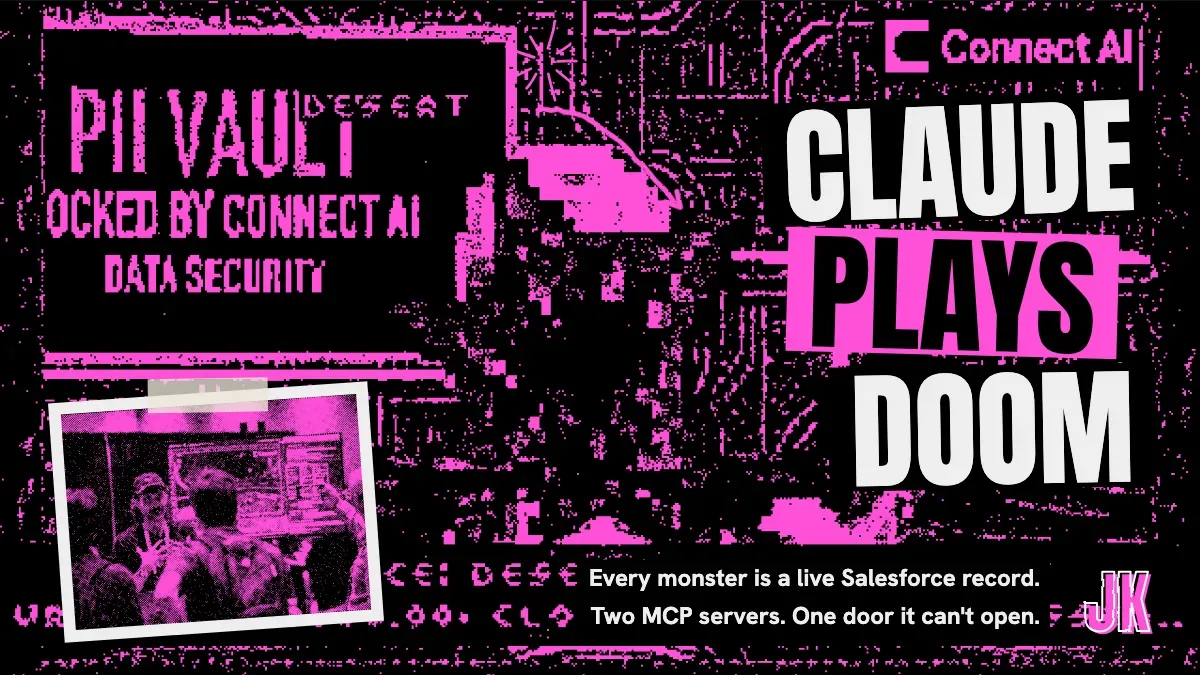 Nov 5, 2026I Wired Doom to Two MCP Servers and Let Claude Play It both apply.
With Connect AI, your team can interact with hundreds of data sources (Salesforce, BigQuery, SQL Server, and more) through native connectors with no preprocessing pipelines required.
We’ve heard the same finding from enterprise teams building on top of MCP connections: identity doesn’t always pass through a vendor’s MCP server intact. One team discovered this mid-audit, after months of agent requests had been running under a shared admin credential without anyone realizing it. Checking the Data Credentials setting per source when you configure each connection isn’t optional.
Teams are building Slack bots that answer business questions in natural language, scheduled monitors that run overnight and report findings by morning, and shared data layers that 10 or 20 internal agents hit through one gateway. The architecture is the same in each case, and only the scope changes.
The most common first build is a Slack bot or internal chat interface connected to the company’s production data: ask it a business question, get an answer scoped to what you’re permitted to see. You skip the business intelligence (BI) ticket and the wait.
A sales rep asking “what’s my pipeline this quarter” gets their Salesforce records. A regional manager asking the same question gets their team’s records. A finance analyst gets the HR data they’re cleared to see, and nothing past it. Same agent, same gateway, different results, because the source system’s permissions are doing the scoping. Connect AI passes each user’s own credentials through to the source at query time, so the agent’s access boundary matches the person’s access boundary exactly, including row-level security and field-level controls.
Teams build this first because it goes live in days and the return on investment (ROI) is obvious immediately. The questions that used to pile up as BI tickets get answered in seconds. Natural-language data access opens a wider set of use cases than pipeline reporting alone, and this pattern is typically what builds the organizational confidence to go further.
Data quality checks that run after every dbt model refresh. Pipeline monitors that alert when a source table stops updating. Business monitors that watch for anomalies in revenue, churn, or inventory. Nobody types these requests. They run on a schedule or fire on an event, fetching live data and writing findings somewhere a human will see them, or acting on them directly.
The gateway logs every request and bounds each agent’s access to the sources and schemas it needs. When the agent writes a finding or triggers an action, there’s a complete record of what it saw and what it did. Why autonomous agents require live data rather than replicated snapshots lays out the tradeoffs if you’re still deciding on the data layer for this pattern.
Teams building this rarely start with autonomous action. They start with alerts only, run that for a few weeks, build confidence in how the agent arrives at its findings, then add guarded write paths where the agent proposes an action and a human approves before anything executes.
The third pattern is an infrastructure decision. An AI platform team sets up Connect AI as the central data gateway that every internal agent connects through.
A team with 10 internal agents that each need Salesforce data doesn’t want 10 separate integrations. Wire Connect AI once, define workspaces and toolkits scoped to each agent’s needs, and each new agent starts with the available connectors already in place. Adding a data source to the gateway makes it available to any workspace configured to use it, without per-agent re-wiring.
Each agent connects through its own scoped MCP endpoint: the workspace defines which schemas and data models it can interact with, the toolkit defines which MCP tools it can call. The HR agent sees HR data and the finance agent sees finance data, because the workspace, not the connector, sets the boundary. Topology choices get more interesting at scale. MCP architecture patterns for enterprise data integration works through them.
The governance controls that matter most at this scale: instant revocation, SCIM 2.0 lifecycle sync with Okta, Microsoft Entra ID, or Ping Identity (added March 2026), and request-level audit logs exportable to your security information and event management (SIEM) system.
The teams deploying AI agents most sustainably follow a predictable sequence, and none of them start at autonomous.
Start read-only. No write paths, no approval flows, no side effects. Most teams stay there longer than they planned. Read-only already covers most of what they built the agent for: the BI tickets thin out and the repeat Slack questions stop.
The next step is human-approved writes. The agent proposes an action and a human approves before anything executes: a Salesforce record staged for review, a dbt job queued but not run, a Slack draft waiting for a thumbs-up. Running a month of these before enabling automation means the trust comes from real decisions. For the access control mechanics behind each stage, managing data permissions for AI agents covers the governance detail.
Autonomous comes last. Save it for operations where the stakes are low or the action is reversible. Connect AI’s workspace controls define the scope. Only move here after human-approved writes have been running long enough that you know how the agent behaves when it’s surprised.
If you’re picking a starting rung: read-only. Don’t design the write path until you’ve watched at least a month of agent activity.
A gateway also does something raw MCP connections don’t: its context layer gets more precise over time. Every interaction run through Connect AI tells it more about how your sources work and what your business terms mean. Agents built on it get more reliable month over month, and they spend fewer tokens doing it, because precise context costs less to process than an oversized one.
CData Connect AI is free to try. The quick start covers the first connection (Salesforce, BigQuery, SQL Server, or any of hundreds of supported sources) and walks through workspace and toolkit setup so your agent has a scoped, governed MCP endpoint from the start.
What is the passthrough identity model in Connect AI?
The passthrough identity model is Connect AI’s mechanism for forwarding each user’s own credentials to the source system at query time. The source system (Salesforce, BigQuery, SQL Server) enforces its own permissions exactly as it would for a direct login, including row-level security, field-level access controls, and role-based gates. CData layers workspace and toolkit scoping on top.
Which data sources support per-user credential passthrough?
Connectors that support it, including Salesforce and BigQuery. Configure it via the Data Credentials option in each connection’s settings. The setting appears only for supported connections, so checking confirms support for a specific source.
Can one Connect AI gateway support multiple agents with different data access?
Yes. Each agent connects through its own scoped MCP endpoint. The workspace defines which schemas and data models the agent can interact with. The toolkit defines which MCP tools it can call. One gateway supports many agents with distinct access boundaries, with no cross-agent data visibility.
What does the audit trail in Connect AI capture?
Connect AI logs each request at the request level: who sent it, which agent handled it, what data it accessed, and what it returned. Logs export to SIEM platforms for integration with existing security tooling.
Is Connect AI compatible with any AI model or agent framework?
Yes. Connect AI exposes standard MCP endpoints, so any MCP-compatible agent framework works with it. Claude, OpenAI assistants, LangChain, LangGraph, and others all connect without modification. The gateway is model-neutral and not tied to a specific AI provider.
What changed with the March 2026 Connect AI release?
The March 2026 release added two capabilities relevant to enterprise deployments: SCIM 2.0 identity lifecycle management, which syncs provisioning and deprovisioning from Okta, Microsoft Entra ID, and Ping Identity automatically, and Custom OAuth Applications, which lets organizations register Connect AI using their own OAuth credentials for environments with strict third-party OAuth policies.
Works on My Machine
Get the next post by email. My newsletter covers homelab builds, AI tools and open source, and it goes out when I have something to say.
It's free, and you can unsubscribe anytime. You'll get an email to confirm first.
If you liked this post, consider sharing it on Hacker News, Bluesky, LinkedIn, or X.

Joe
Karlsson
I write about my homelab, AI tools, databases, and the weird stuff I build on the side.
More about me →