|2 min read
From Digital Design to Real-World Object: How I Created a 3D-Printed Planter for a Recycled Postcard Rack Planter
TL;DR
I designed a 3D-printed planter insert in Tinkercad to turn a thrift store postcard rack into a succulent planter. Here is how I did it and tips for getting started with 3D printing your own stuff.
You might not have thought much about using your technical skills to create physical objects. However, with the rise of 3D printing technology, it’s becoming easier than ever to turn digital designs into real-world objects. Recently, I played around with a custom 3D-printed design I created. It’s a planter insert for a recycled Postcard Rack Planter.
Note: Originally this post included a spinning video of the planter, which is no longer available.
Using Technical Skills to Create Physical Objects with 3D Printing
You may not have considered using technical skills to create physical objects. However, 3D printing makes turning digital designs into real-world objects easier than ever. I recently created a custom 3D-printed planter insert for a recycled Postcard Rack.
Postcard Rack Transformation
This project is cool for several reasons:
-
Repurposing old furniture: This prevents it from ending up in a landfill and gives it new life.
-
Creating functional beauty: A functional, attractive planter brightens up any space.
-
Using Tinkercad: This free online tool allows you to create 3D models without prior experience or technical knowledge.
Building the Planter
Here are the steps to create the planter:
-
Find a postcard rack: Search thrift stores, garage sales, or online marketplaces. Choose one that’s sturdy with enough compartments for plants.
-
Measure the rack: Determine the dimensions using a tape measure or calipers. Sketch your design.
-
Design in Tinkercad: Learn the basics through online tutorials, create your design, and download it as an STL file for 3D printers.
Learning through trial and error is powerful for developing new skills. Start small, gradually build skills and confidence, and don’t be afraid to make mistakes.
- Print your planter: Use local maker spaces, libraries, or online services like Craftcloud, PCBWay, or Sculpteo for 3D printing. (Shapeways, once a popular option, shut down in 2024.)
Tips for Success
Keep these tips in mind:
-
Start small: Begin with a simple design and progress as you gain experience.
-
Use reference images: Guide your design with images of similar objects.
-
Consider functionality: Ensure your design can hold plants and has drainage holes.
-
Experiment with materials: Try wood, plastic, or metal for a unique look.
The Final Result
Creating a recycled postcard rack planter using Tinkercad is a fun, rewarding project for software engineers. With creativity and the right tools, you can turn digital designs into physical objects to be proud of.
You can download this project from Thingiverse: Postcard Rack Planter on Thingiverse
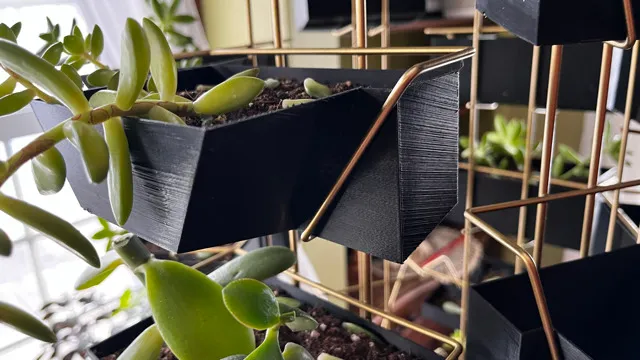
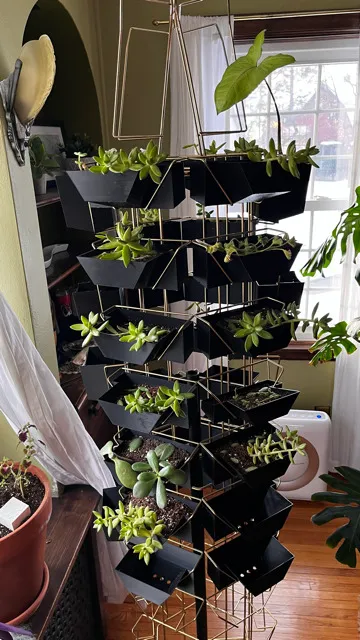 Front view of the planter insert in the rack
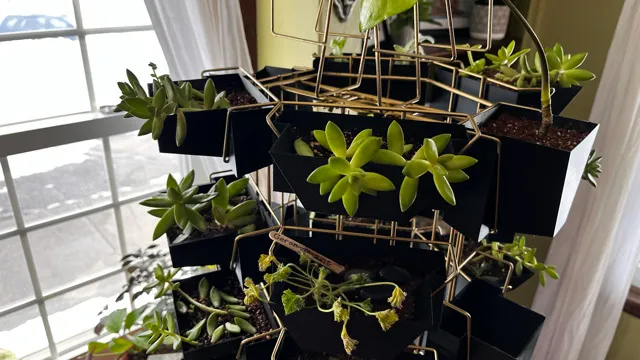 Close-up of the planter with drainage holes
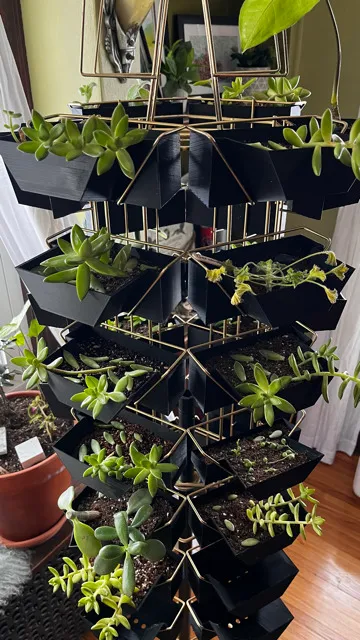 Side angle with succulents planted
 Full rack on display with multiple plants
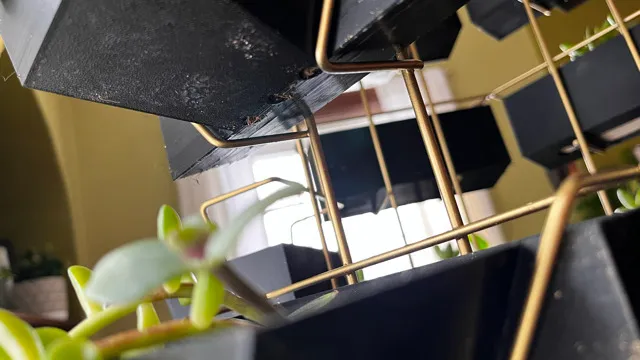 Detail shot of the finished project

Joe Karlsson
Developer Marketing Engineer at CData, leading developer growth for the managed MCP platform that connects AI agents to live enterprise data. Writing about databases, self-hosting, and the things I build. Runs a 60+ container Proxmox homelab with AI-powered automations.
cat newsletter.md
I write a weekly newsletter about databases, self-hosting, and whatever I'm building.
Subscribe on Substack →Related Posts

Feb 5, 2026
Building a Real-Time Digital Graffiti Wall with MongoDB Realm and RGB LEDs
How I built an interactive art installation and collaborative drawing app where multiple users draw on a shared digital canvas that displays their creations live on a physical RGB LED grid, using MongoDB Realm for real-time sync.

Nov 3, 2020
An Introduction to IoT (Internet of Toilets)
My favorite things in life are cats, computers, and crappy ideas, so I decided to combine all three and explore what was possible with JavaScript by creating a brand-new Internet of Things (Internet...
Nov 20, 2019
An Introduction To IoT (Internet of Toilets 🚽)
Thanks for coming to my talk, An Introduction To IoT (Internet of Toilets 🚽); Or How I Built an IoT Kitty Litter Box Using JavaScript, and here you will find all the resources discussed during the...