Uses
Hardware, software, and gear I use daily for development, content creation, and running my homelab.
This is a living document - I update it as my setup evolves. Things get swapped out, new tools earn a permanent spot, and old favorites get retired. If something here looks outdated, it probably means I haven't gotten around to updating this page yet.
Last updated: March 2026
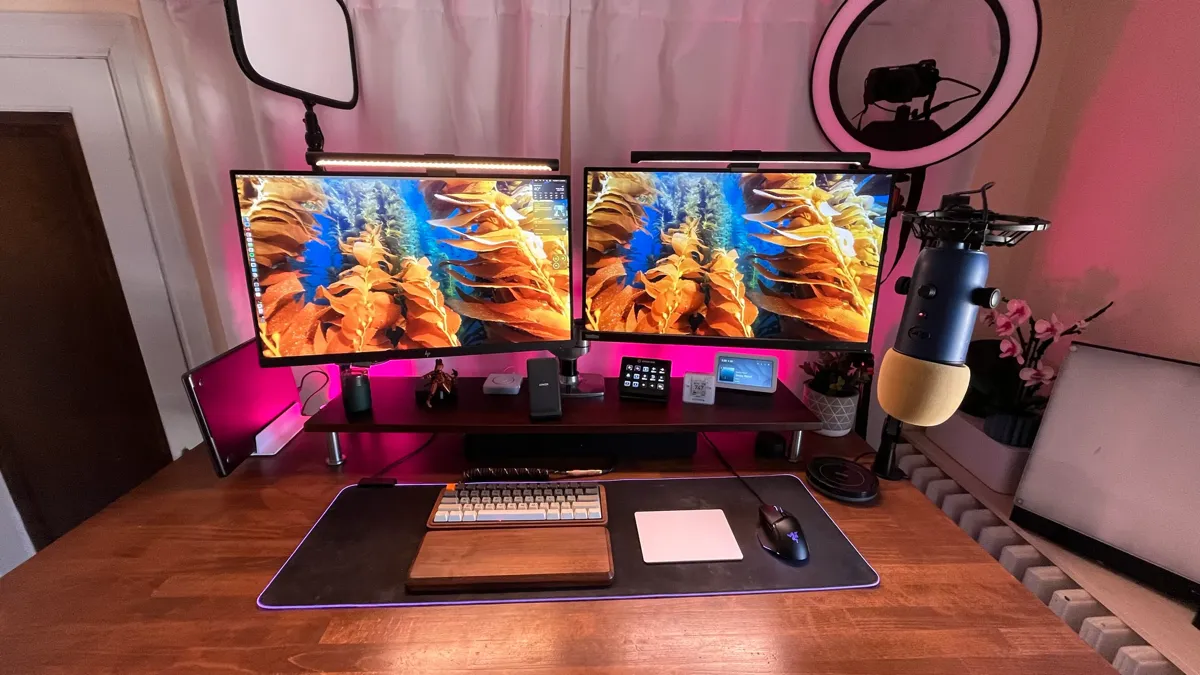
ls hardware/
computer & monitors
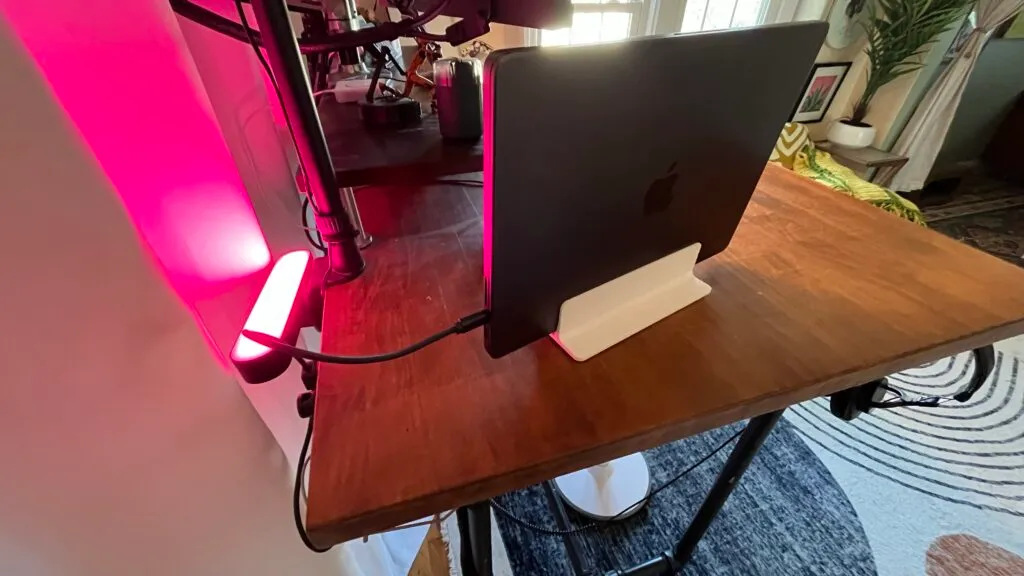
MacBook Pro M3 Pro - 36 GB RAM. A massive upgrade from the M1 Air - the extra cores and memory make a real difference for Docker, multiple IDEs, and running local AI models.
Monitors - ThinkVision P27h-10 27" QHD (right) + Dell U3417W 34" 4K (left). If I were buying today, I'd go ultrawide.
Ergotron LX Dual Monitor Arm - lets me reposition monitors based on what I'm working on and frees up desk space for hardware projects.
Dell Universal Dock D6000 - bought used on eBay for under $100. Single USB-C cable for power, monitors, and all USB accessories.
input & peripherals
Razer DeathAdder Chroma - gaming mouse.
Apple Magic Trackpad 2 - for swipe and pinch controls.
Razer Goliathus Extended Chroma - mousepad with RGB backlighting.
keyboards
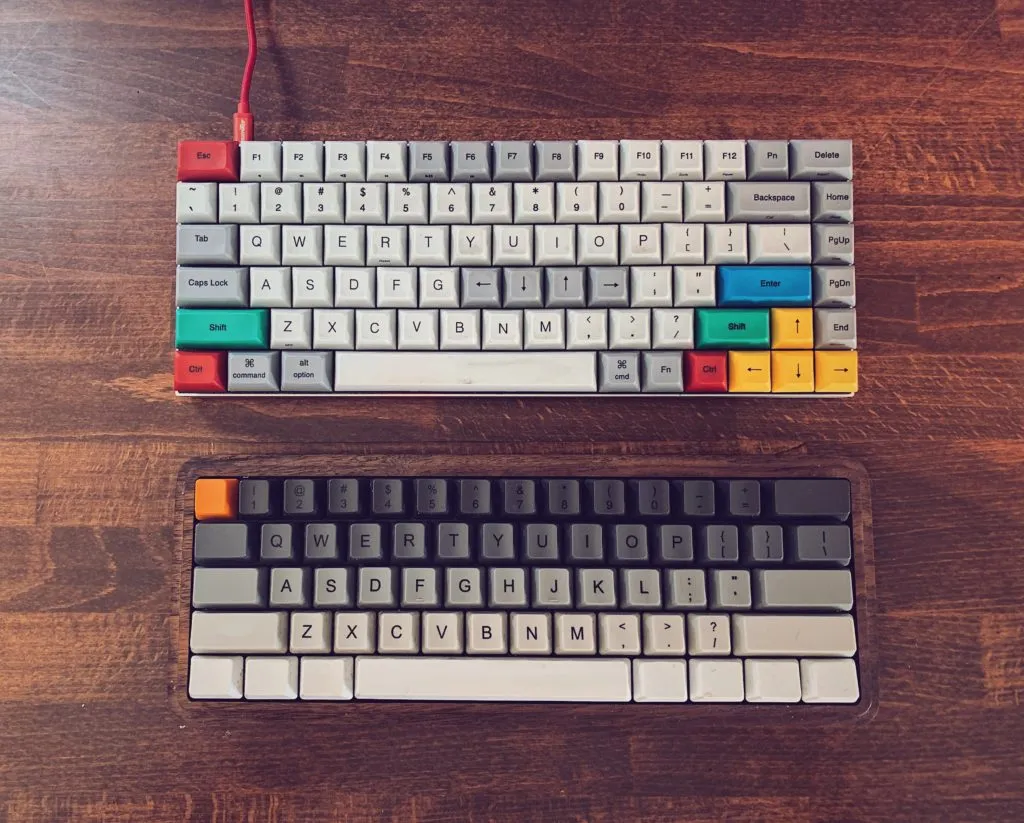
Vortexgear Race 3 - with Cherry MX Clear switches.
Custom Vortex POK3R - wood case, Cherry MX Blue switches, custom keycap set from WASD Keyboards. I like clicky switches - Blues are the loudest and clickiest. I'd recommend Clears as a good starter switch.
desk & audio
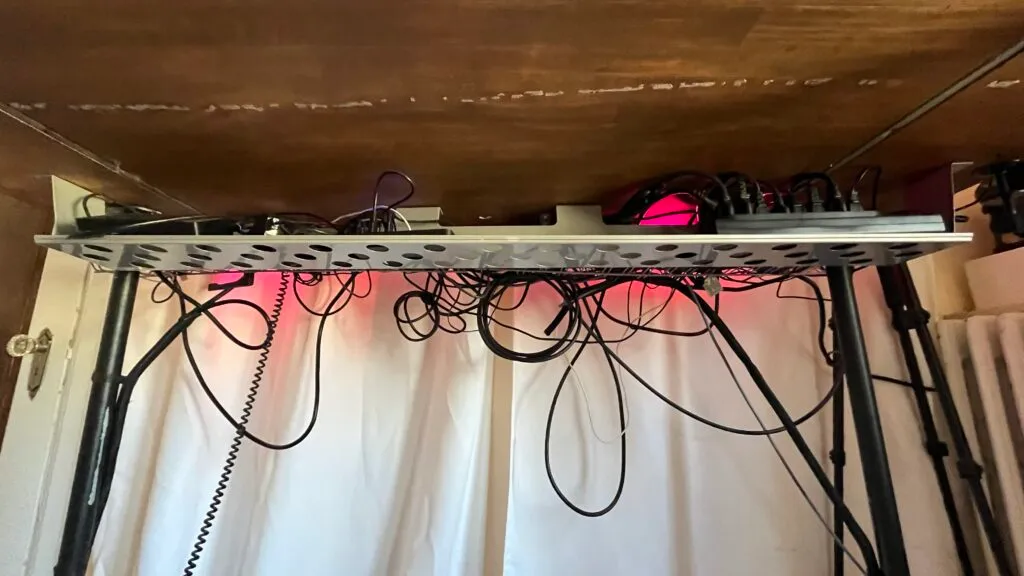
Standing Desk - custom-built IKEA desktop on industrial black steel legs, with a Luna Standing Desk Stool.
Sony MDR7506 - professional headphones with upgraded velvet pads. Affordable, comfortable, and sound great.
Philips Hue Play - White & Color Ambiance LED Bar Lights (2-Pack) for desk backlighting.
ls recording/
camera & audio
OBSBOT Tiny 2 - 4K AI-powered webcam with gesture control and auto-tracking. Replaced my Sony A6600 - much simpler setup for Zoom calls and recordings.
Elgato Wave:3 - USB condenser mic, managed through Wave Link for mixing. Replaced the Blue Yeti - much better sound and integrates with the Elgato ecosystem.
streaming & recording
Elgato Stream Deck - I use this more for productivity shortcuts than streaming. Scene switching in OBS, muting/unmuting in Zoom, launching common workflows, and triggering Home Assistant scenes from my desk.
OBS - for livestreams and conference talk recordings. I have scenes set up for coding demos, slides, and picture-in-picture with the green screen.
Camtasia - my go-to for editing tutorial videos. Not as powerful as Premiere, but way faster for the record-edit-export workflow I need for tech content.
Screen Studio - makes screen recordings look polished with auto-zoom and smooth cursor following. I use this for short social media clips and demo GIFs.
Xnip - screenshot tool with annotations and scrolling capture. The scrolling capture is the killer feature - great for grabbing full terminal output or long web pages for blog posts.
lighting & green screen
Elgato Key Lights (x2) - plus professional studio LED panels.
ls dev-tools/
editors
Visual Studio Code - still my primary editor. Monokai theme + vscode-icons.
Cursor - AI-powered fork of VS Code, increasingly my go-to for new projects.
Key extensions - GitLens, Prettier + ESLint, GitHub Copilot, Docker, Remote SSH, Go/Python/Svelte support.
ai tools
Claude Code (CLI) - my primary coding companion. I use it in the terminal for everything from infrastructure automation to building this website. It manages my homelab, writes deployment scripts, and helps debug across 40+ containers. I wrote about building a Claude Code blog skill for this site.
Claude desktop app - writing, research, and brainstorming.
GitHub Copilot - inline code completion in VS Code and Cursor.
superwhisper - local speech-to-text, great for dictating docs and messages.
WakaTime - like a Fitbit for programmers, automated time tracking and metrics.
terminal
iTerm2 - with Oh My Zsh and Powerlevel10k theme. Plugins: git, z, zsh-autosuggestions, zsh-syntax-highlighting.
Dotfiles - config files at my dotfiles repo on GitHub.
productivity
Raycast - replaced Spotlight and Alfred. I use it for clipboard history, snippet expansion, window management scripts, and quick calculations. The extensions ecosystem is what sold me.
Magnet - keyboard-driven window snapping. I use thirds layout constantly with the dual monitor setup - editor left, terminal right, browser on the second screen.
Notion - personal knowledge base, talk prep, and blog drafts. I tried Obsidian but kept coming back to Notion for the database views and sharing.
Linear - project and issue tracking for personal projects. Fast, keyboard-first, and the design is gorgeous compared to Jira.
Grammarly - catches typos and awkward phrasing in blog posts and emails. I ignore most of its style suggestions but the grammar checking saves me from embarrassing mistakes.
communication & media
Rambox - all messaging clients in one app.
Postiz - self-hosted social media scheduling (replaced Buffer).
security & utilities
1Password - password manager (+ self-hosted Vaultwarden as backup).
Tailscale - mesh VPN for accessing homelab remotely.
Private Internet Access - commercial VPN for privacy on public networks.
Docker Desktop - local container development. I test homelab configs here before deploying to Proxmox.
SoundSource - per-app audio control. I route meeting audio to my headphones and music to desk speakers without switching system output.
Hidden Bar - hides menu bar clutter. With Docker, Tailscale, 1Password, and a dozen others up there, I'd go insane without it.
ls homelab/
I run a self-hosted Proxmox VE cluster with 40+ LXC containers and VMs across two rack-mounted servers. Everything from media automation to home security to document management runs locally on my own hardware. I wrote a full guide to getting started with a homelab if you want to build something similar.
server hardware
prxbox1 - Dell PowerEdge R730 - 2x Intel Xeon E5-2698 v4 @ 2.20 GHz (80 cores total), 128 GB DDR4 ECC RAM, NVIDIA Quadro RTX 4000 (8 GB VRAM), 446 GB SSD (system) + 4.9 TB HDD + NAS mounts, dual Intel X710 10 Gb SFP+ in LACP bond (20 Gbps). Runs 26 containers/VMs - media automation, infrastructure, monitoring, home automation.
prxbox2 - Dell PowerEdge R730 - NVIDIA RTX A4000 (16 GB VRAM), dual Intel X710 10 Gb SFP+ in LACP bond (20 Gbps). Runs 15 containers - GPU-accelerated media playback, photo management, transcoding.
gpu workloads
RTX A4000 (16 GB) - Plex hardware transcoding (NVENC/NVDEC), Immich ML face/object detection, Tdarr media transcoding
Quadro RTX 4000 (8 GB) - Frigate real-time object detection for security cameras, Tdarr transcoding node
storage
Synology DS918+ - 4-bay NAS, NFS mounts to all containers for media, photos, documents, and backups
Proxmox Backup Server - automated nightly snapshots of all containers and VMs with retention policies
networking
MikroTik CRS317 - 10G backbone switch with LACP bonds (20 Gbps per server)
UniFi Cloud Gateway Ultra - router with firewall rules across 4 VLANs (Default, Guest, IoT, Cameras)
2x UniFi U7 Pro - WiFi 6E access points
UniFi US-24 - 24-port access switch
AdGuard Home - DNS-level ad blocking (primary + secondary Pi)
services (40+ containers)
media & entertainment
Plex - media server for movies, TV, and music
Tautulli - Plex monitoring and stats - shows what's being watched and tracks playback history
Tdarr - GPU-accelerated media transcoding to H.265, saves terabytes of NAS space
Sonarr (TV), Radarr (movies), Lidarr (music), Readarr (books) - the Arr stack for media management and acquisition
Bazarr - automatic subtitle downloads, synced with Sonarr and Radarr
Prowlarr - indexer manager that feeds all the Arr apps from one place
SABnzbd + qBittorrent - download clients (Usenet and torrent)
Kometa - auto-generates Plex collections, overlays, and metadata - keeps the library looking clean
Audiobookshelf - self-hosted audiobook and podcast server with progress sync across devices
Lyrion Music Server - multi-room audio server that controls all WiiM speakers throughout the house
Slskd - Soulseek client for finding rare and out-of-print music that isn't on streaming services
smart home & security
Home Assistant - the brain of the smart home, running 90+ automations
Frigate NVR - real-time object detection on camera feeds using GPU inference
Zigbee2MQTT - bridges all Zigbee sensors and switches without vendor lock-in
MariaDB - dedicated database for Home Assistant - way faster than the default SQLite once you hit 90+ entities
productivity & storage
Immich - Google Photos replacement with GPU-accelerated face recognition
Nextcloud - CalDAV/CardDAV server, file sync, and contacts - replaces iCloud
Paperless-ngx + Paperless-AI - document OCR with AI-powered auto-tagging and categorization
Vaultwarden - self-hosted Bitwarden-compatible password vault, backs up my 1Password data
LinkStack - self-hosted link-in-bio page, replaces Linktree
infrastructure & monitoring
Grafana + Prometheus + Loki - metrics, dashboards, and centralized logging across all containers
Alertmanager - routes Prometheus alerts to ntfy and Home Assistant based on severity
Uptime Kuma - monitors all 40+ services and sends alerts when something goes down
Nginx Proxy Manager - reverse proxy with SSL certs so every service gets a clean local domain
Authentik - SSO and identity provider - one login for all self-hosted services
Cloudflare DDNS - keeps DNS records updated when my ISP changes my IP
Tailscale - mesh VPN for secure remote access to everything
Plausible Analytics - privacy-friendly site analytics, replaces Google Analytics
Healthchecks - cron job monitoring - if a scheduled task doesn't check in, I get alerted
ntfy - self-hosted push notifications - everything from laundry alerts to disk warnings goes through this
Proxmox Backup Server - automated nightly snapshots of all containers with retention policies
how it all connects
One of the best parts of running a homelab is replacing SaaS dependencies with self-hosted alternatives that integrate with each other. I set up custom domain names with Nginx Proxy Manager and Pi-hole so every service gets a clean local URL.
photos & backup
Immich - replaces Google Photos - auto-uploads from my phone, GPU-accelerated face recognition, and all photos stored on the NAS. No cloud subscription, no storage limits.
documents & ai
Paperless-ngx - ingests all scanned documents with OCR, and Paperless-AI auto-tags and categorizes them. Mail comes in, gets scanned, and is searchable within minutes.
calendar & tasks
Apple Reminders and Calendar - sync to a self-hosted Nextcloud CalDAV server instead of iCloud. Same native Apple apps, but the data lives on my hardware.
media pipeline
home security
Frigate - runs real-time object detection on security camera feeds using the GPU. Detections trigger automations in Home Assistant - lights, notifications, and recording clips. All processed locally, nothing sent to the cloud.
monitoring & alerts
Grafana - dashboards pull from Prometheus metrics and Loki logs across all 40+ containers. ntfy sends push notifications to my phone when something needs attention.
analytics
Plausible Analytics - privacy-friendly site analytics - self-hosted, no cookies, fully GDPR compliant. Replaces Google Analytics.
ls smart-home/
My smart home runs on Home Assistant with 90+ automations, voice control, and zero cloud dependencies. Everything processes locally on my homelab. I wrote about getting started with Home Assistant and how I replaced Alexa with local voice control.
core platform
Home Assistant OS - running as a VM on Proxmox with dedicated MariaDB.
HACS - community store for custom integrations and dashboard cards.
Zigbee2MQTT - all Zigbee devices go through this instead of proprietary hubs.
Apple HomeKit bridge - exposes key entities to Siri for quick voice commands.
dashboards
Custom Lovelace dashboards for different form factors - desktop overview, phone, and tablet views. Built with community cards:
ai-powered automations
Doorbell AI Vision - Frigate captures a snapshot when someone's at the door, sends it to a local LLM running on the GPU via Wyoming Whisper, and announces a natural-language description through the house speakers - "There's a delivery driver with a package at the front door." No cloud APIs involved.
Voice Camera Queries - "Hey, what's at the front door?" or "Describe the garage" triggers on-demand AI vision analysis through Home Assistant's Assist voice pipeline. Camera snapshot → GPU inference → spoken response, all local.
Infrastructure Alert Translation - Raw Prometheus alerts get fed through a local LLM that translates technical jargon into friendly notifications - "One of your archive drives is running low on space" instead of a wall of metrics.
multi-service automations
Laundry Detection System - Vibration sensor on the dryer detects 9 minutes of no movement to confirm it's done. Contact sensor on the washer starts a 70-minute timer after the door closes. If both finish within 15 minutes, a single combined notification goes out - chimes on 3 speakers, TTS announcements, and a mobile notification with snooze. Includes cooldown to prevent spam.
Doorbell Music Pause - When Frigate detects a person at the door during the day, all Lyrion Music Server / WiiM players auto-pause so you can hear the doorbell and have a conversation. Resumes after.
Power Night Mode - At 11 PM, Home Assistant SSHs into Proxmox and shuts down non-essential containers, saving ~175W overnight. At 7 AM, everything restarts and health checks confirm services are back before reporting success. Manual override available for late nights.
context-aware routines
Weather-aware mornings - "Good Morning" checks the forecast: opens curtains if mild, closes blackout curtains if >85°F and high UV. Chooses between natural light and warm scene based on whether the sun is up yet.
Vacation presence simulation - Activates realistic light patterns that mimic normal activity, arms alarm in vacation mode, returns vacuums to base, closes all blinds, adjusts climate to away preset. Reverses everything on return.
Welcome home status - Announces what happened while you were away by comparing state changes since departure.
Voice modes - "Work Mode", "Meeting Mode", "Movie Mode", and "Nap Time" each reconfigure lights, audio, and notifications across every room.
Motion lighting - 9 rooms with motion-activated lights that adapt brightness and temperature to time of day via Adaptive Lighting.
devices
lighting & climate
- Philips Hue lights + motion sensors
- Zigbee contact & temperature sensors via SONOFF Zigbee dongle
- Smart thermostats
- Motorized curtains (weather-aware)
security & cameras
- Eufy doorbell + floodlight cam
- Tapo C200 indoor cameras
- Smoke/CO2 sensors
- Moisture leak sensors
audio
- WiiM devices (Amp, Pro, Mini)
- Audio Pro A10 speakers
- 8+ audio zones via Lyrion Music Server
other
- 2x Roomba vacuums
- Meross smart plugs (energy monitoring)
- 3D printer (Prusa MK3) power tracking
- Hue Play HDMI Sync Box
$ apt list --installed
joe-hardware/stable
├── macbook-pro-m3-pro/stable 2024.1 arm64 [installed]
├── thinkvision-p27h-10/stable 27" QHD [installed]
├── dell-u3417w/stable 34" 4K [installed]
├── ergotron-lx-dual-arm/stable 2.0 amd64 [installed]
├── dell-dock-d6000/stable USB-C universal [installed]
├── razer-deathadder-chroma/stable gaming-mouse [installed]
├── apple-magic-trackpad-2/stable multi-touch [installed]
├── razer-goliathus-extended-chroma/stable RGB mousepad [installed]
├── vortexgear-race-3/stable cherry-mx-clear [installed]
├── vortex-pok3r-custom/stable cherry-mx-blue [installed]
├── standing-desk-ikea-custom/stable industrial-legs [installed]
├── sony-mdr7506/stable velvet-pads [installed]
└── philips-hue-play-bars/stable 2-pack RGB [installed]
joe-recording/stable
├── obsbot-tiny-2/stable 4K AI-webcam [installed]
├── elgato-wave3/stable USB-condenser [installed]
├── elgato-stream-deck/stable productivity [installed]
├── obs-studio/stable livestream [installed]
├── camtasia/stable video-editing [installed]
├── screen-studio/stable screen-recording [installed]
├── xnip/stable screenshots [installed]
├── elgato-key-lights/stable x2 studio-LED [installed]
└── fancierstudio-green-screen/stable collapsible [installed]
joe-software/stable
├── visual-studio-code/stable monokai-theme [installed]
├── cursor/stable AI-editor [installed]
├── claude-code-cli/stable coding-companion [installed]
├── claude-desktop/stable writing-research [installed]
├── github-copilot/stable inline-completion [installed]
├── superwhisper/stable speech-to-text [installed]
├── wakatime/stable time-tracking [installed]
├── iterm2/stable oh-my-zsh+powerlevel10k [installed]
├── raycast/stable launcher [installed]
├── magnet/stable window-manager [installed]
├── notion/stable knowledge-base [installed]
├── linear/stable issue-tracking [installed]
├── grammarly/stable grammar-check [installed]
├── rambox/stable messaging-hub [installed]
├── 1password/stable password-manager [installed]
├── tailscale/stable mesh-VPN [installed]
├── private-internet-access/stable commercial-VPN [installed]
├── docker-desktop/stable containers [installed]
├── soundsource/stable per-app-audio [installed]
└── hidden-bar/stable menu-bar-cleanup [installed]
joe-homelab/stable
├── dell-poweredge-r730-prxbox1/stable 80-cores 128GB-ECC [installed]
├── dell-poweredge-r730-prxbox2/stable GPU-node [installed]
├── nvidia-quadro-rtx-4000/stable 8GB-VRAM [installed]
├── nvidia-rtx-a4000/stable 16GB-VRAM [installed]
├── synology-ds918plus/stable 4-bay NAS [installed]
├── proxmox-backup-server/stable nightly-snapshots [installed]
├── mikrotik-crs317/stable 10G-backbone LACP [installed]
├── unifi-cloud-gateway-ultra/stable router 4-VLANs [installed]
├── unifi-u7-pro/stable x2 WiFi-6E [installed]
├── unifi-us-24/stable 24-port PoE [installed]
├── intel-x710-sfp-plus/stable x4 10Gb dual-port [installed]
└── proxmox-ve/stable hypervisor cluster [installed]
joe-homelab-services/stable
├── plex/stable media-server [installed]
├── tautulli/stable plex-monitoring [installed]
├── tdarr/stable GPU-transcoding H.265 [installed]
├── sonarr/stable TV-management [installed]
├── radarr/stable movie-management [installed]
├── lidarr/stable music-management [installed]
├── readarr/stable book-management [installed]
├── bazarr/stable subtitle-downloads [installed]
├── prowlarr/stable indexer-manager [installed]
├── sabnzbd/stable usenet-client [installed]
├── qbittorrent/stable torrent-client [installed]
├── kometa/stable plex-collections [installed]
├── audiobookshelf/stable audiobook-server [installed]
├── lyrion-music-server/stable multi-room-audio [installed]
├── slskd/stable soulseek-client [installed]
├── immich/stable GPU-photo-management [installed]
├── nextcloud/stable CalDAV-CardDAV-sync [installed]
├── paperless-ngx/stable document-OCR [installed]
├── paperless-ai/stable auto-tagging [installed]
├── vaultwarden/stable password-vault [installed]
├── linkstack/stable link-in-bio [installed]
├── postiz/stable social-scheduling [installed]
├── grafana/stable dashboards [installed]
├── prometheus/stable metrics [installed]
├── loki/stable centralized-logging [installed]
├── alertmanager/stable alert-routing [installed]
├── uptime-kuma/stable service-monitoring [installed]
├── nginx-proxy-manager/stable reverse-proxy SSL [installed]
├── authentik/stable SSO-identity [installed]
├── cloudflare-ddns/stable dynamic-DNS [installed]
├── adguard-home/stable DNS-ad-blocking [installed]
├── plausible-analytics/stable privacy-analytics [installed]
├── healthchecks/stable cron-monitoring [installed]
├── ntfy/stable push-notifications [installed]
├── frigate-nvr/stable GPU-object-detection [installed]
└── mariadb/stable HA-database [installed]
joe-smart-home/stable
├── home-assistant-os/stable VM proxmox [installed]
├── hacs/stable community-store [installed]
├── zigbee2mqtt/stable bridge [installed]
├── sonoff-zigbee-dongle/stable coordinator [installed]
├── apple-homekit-bridge/stable siri-control [installed]
├── philips-hue-lights/stable whole-home [installed]
├── philips-hue-motion-sensors/stable 9-rooms [installed]
├── adaptive-lighting/stable circadian [installed]
├── motorized-curtains/stable weather-aware [installed]
├── smart-thermostats/stable climate [installed]
├── eufy-doorbell/stable video [installed]
├── eufy-floodlight-cam/stable outdoor [installed]
├── tapo-c200/stable indoor-cameras [installed]
├── alarmo/stable security-system [installed]
├── wiim-amp/stable multi-room-audio [installed]
├── wiim-pro/stable multi-room-audio [installed]
├── wiim-mini/stable multi-room-audio [installed]
├── audio-pro-a10/stable speakers [installed]
├── roomba-vacuums/stable x2 [installed]
├── meross-smart-plugs/stable energy-monitoring [installed]
├── prusa-mk3/stable 3d-printer [installed]
├── hue-play-hdmi-sync-box/stable ambient-TV [installed]
├── powercalc/stable energy-tracking [installed]
└── wyoming-whisper/stable local-voice-AI [installed]
96 packages listed.