
|19 min read
I Built a Fully Local Voice Assistant for Home Assistant (With GPU, No Cloud Required)
TL;DR
I replaced all cloud AI in Home Assistant's voice pipeline with a fully local stack: GPU-accelerated faster-whisper for speech-to-text, Piper TTS, and Ollama running llama3.2:3b as the conversation agent. Zero audio leaves my network. The path to a working setup involved a qwen3 experiment that ended with the LLM narrating its own thought process for five minutes straight, a system prompt explicitly forbidding voice commands from killing my server rack, and a three-tier fallback chain I am genuinely glad I built.
The honest reason I started this: Amazon. Specifically, the moment I actually read what Amazon’s voice data policies let them do - and realized I had no real way to opt out. Every command to Alexa - lights, calendar, weather, whatever - was going to their servers, processed there, retained under terms I couldn’t meaningfully negotiate. I’d been fine with that tradeoff for years without thinking hard about it. Then Amazon removed the “Do Not Send Voice Recordings” option entirely, effective March 28, 2025. That was the end of it for me.
The timing was good. I already had a GPU server sitting in my attic. Two of them, actually - dual R730s with NVIDIA cards I’d built out for Plex transcoding and local AI workloads. It felt absurd to have that compute available and still be shipping my living room conversations to Amazon. So I went all-in on local AI for voice and decided to see what was actually possible in 2025.
This is the technical follow-up to that initial experiment - the early chaos, the 50% wake word success rate, my partner learning to say “Okay Nabu” with diminishing patience. This post is the year-later accounting: what the pipeline actually looks like now, what failed spectacularly, and what I actually run today. It’s still very much a work in progress. There’s real room for improvement. But it’s been one of the more genuinely fun projects I’ve taken on in the homelab.
If you’re brand new to Home Assistant, start here first.
What I Was Actually Optimizing For
Before getting into the setup, I want to be upfront about my goals - because yours are probably different, and this whole thing is about trade-offs.
My priorities, in order: speed first, good enough reasoning second, accuracy third. I wanted a voice assistant that responds fast enough to not feel broken. Sub-3 seconds from wake word to spoken reply. Everything else is secondary to that. I was willing to accept worse recognition accuracy and a less capable LLM if it meant the round-trip stayed snappy.
The other constraint: I’m not going to add dedicated hardware just for voice. I already have GPU servers running Plex, Frigate, Immich, and subtitle generation. Voice AI had to share those resources or it wasn’t happening. That pushed me toward smaller, faster models over larger, more capable ones.
The gap left by a small fast model: I filled it with HA’s native voice intents for device control, and kept the LLM for the cases where I actually need reasoning. That combination fits my use case well. If you want richer natural language for complex queries and you have hardware to spare, you’d make different choices - run a 13B model, accept the latency, and get better results. There’s no universally right answer here.
The Three-Component Stack
There is no single “local voice assistant” you install. You wire together three separate pieces, each doing one job.
Speech-to-Text: faster-whisper - a CTranslate2 reimplementation of OpenAI’s Whisper that runs substantially faster on the same hardware, especially with CUDA. This listens to your voice and produces text. Worth knowing: HA also has Speech-to-Phrase, a newer close-ended STT model that runs on a Raspberry Pi 4 and responds nearly instantly. If you don’t have a GPU and want low latency, it’s worth considering - the tradeoff is that it only recognizes a predefined set of phrases rather than open-ended speech.
Text-to-Speech: Piper - completely offline, runs on a potato if needed, and sounds like an actual person if you pick the right voice model. The en_US-libritts-high voice sounds good enough that my guests have asked if I got a new Alexa.
Conversation Agent: Ollama - local LLM inference. This is the actual intelligence layer. It takes the transcribed text, figures out what you wanted, and returns a response or triggers HA actions.
Everything connects to Home Assistant through the Wyoming protocol - HA’s open standard for wiring voice components together over TCP. Each component can run on a different machine. Mine do.
Here’s the actual data path:
Wake word detected (Wyoming)
          |
          v
Microphone audio
          |
          v
faster-whisper GPU  (Wyoming STT service, separate host)
(speech -> text)
          |
          v
llama3.2:3b via Ollama  (LLM host, GPU server)
(intent + response)
          |
          v
Piper TTS
(text -> audio)
          |
          v
Speaker response
How It’s Deployed (The Proxmox Side)
Each component runs as a separate service - that’s the key architectural decision. Nothing is bundled together. Whisper, Piper, and Ollama each live on their own host or container, and HA talks to all of them via the Wyoming protocol over your local network.
Here’s how mine are set up on Proxmox:
Wyoming Whisper runs in a Docker container on one of my Proxmox nodes, with GPU passthrough enabled. I use the faster-whisper Docker image rather than the HA add-on, because the add-on doesn’t support GPU acceleration - and GPU is the whole point. The container exposes a Wyoming-compatible TCP port that HA discovers as an STT entity.
Piper TTS also runs as a Docker container, exposed via Wyoming. I’m using the Wyoming Piper image. This one doesn’t need GPU - Piper is fast enough on CPU. I just run it on whatever node has spare compute.
Ollama runs directly on the GPU node with GPU passthrough, serving its standard API. The HA Ollama integration connects to it over the local network.
Home Assistant itself runs as a VM in Proxmox (HAOS). It discovers the Wyoming services automatically once you add them under Settings → Devices & Services → Add Integration → Wyoming Protocol.
If you don’t have Proxmox or want the simpler path: HA has official add-ons for both Whisper and Piper that run inside the Home Assistant OS environment. The add-ons are easier to set up and fine for CPU inference. The tradeoff is that GPU passthrough to HA add-ons is awkward - if GPU acceleration matters to you, running these as standalone services on a dedicated node is cleaner.
The Hardware
My homelab runs two Dell R730 servers with NVIDIA GPUs - the bigger one has an RTX A4000 with 16GB of VRAM, which is where Ollama lives. The Whisper STT service runs on a separate host. Each component runs on whatever machine makes sense for that workload.
The 16GB VRAM sounds like a lot, but it’s shared. That GPU also handles Plex transcoding, Immich photo ML, and Tdarr video encoding. VRAM gets contested. You need enough headroom that a Plex transcode doesn’t evict the voice pipeline mid-sentence. If your GPU is dedicated or less loaded, you could run a larger model and get better results.
You don’t need 16GB for this to work. Here’s a rough VRAM floor guide:
| VRAM | What’s realistic |
|---|---|
| 4GB | Whisper small model only. No LLM. Use Speech-to-Phrase + HA intents instead. |
| 8GB | llama3.2:3b + Whisper base/small. Works, limited headroom for other services. |
| 16GB | llama3.1:8b + Whisper large-v2, or smaller models with room for Plex/Frigate/etc. |
| 24GB+ | Run a 13B model, get meaningfully better tool calling. Worth it if you have it. |
CPU-only is also an option - Whisper runs fine without a GPU - but transcription alone takes 3-5 seconds, which kills the latency budget I care about. GPU cuts that to under a second. If fast response time isn’t your top priority, you can run this on more modest hardware and just accept the wait.
The Pipeline Configuration
In Home Assistant, voice pipelines live at Settings → Voice Assistants. I have three configured:
- Home Assistant Cloud - fallback of last resort. Cloud-backed, works when the homelab is on fire.
- Ollama Local - CPU Whisper + Ollama. Slower, GPU-independent.
- Local Voice - GPU Whisper + Piper + Ollama. Marked as preferred.
The preferred pipeline looks like this:
name: Local Voice
stt_engine: stt.faster_whisper_gpu
stt_language: en
tts_engine: tts.piper
tts_voice: en_US-libritts-high
conversation_engine: conversation.ollama_conversation
prefer_local_intents: true
prefer_local_intents: true is the most important setting most guides skip over. With it enabled, Home Assistant tries to handle commands with its built-in intent recognition first - before touching the LLM. “Turn on the lights” gets handled by HA directly. Fast. Reliable. The LLM only engages for things HA can’t handle natively: questions, complex multi-step requests, anything that needs actual reasoning.
The LLM is slower and more expensive (computationally). You don’t want it processing “turn off the bedroom lights” when HA can do that in 200ms on its own.
Use Voice Intents, Not Automations
This is the thing I wish someone had told me upfront.
When I started, I built voice control the obvious way: conversation-trigger automations. HA lets you create automations that fire when the voice assistant hears specific phrases. I built dozens of them - one per command variation, one per room, one per device type. It works. Sort of.
The problem is that automations don’t compose well with the LLM pipeline. They’re pattern-matched strings, not intent-aware. “Turn off the living room lights” and “lights off in the living room” are different automations unless you list every variant explicitly. And they interact weirdly with prefer_local_intents - sometimes the LLM intercepts what should have been a local trigger, sometimes the automation fires when the LLM should have handled it.
The better approach: Home Assistant’s built-in voice intents. These are native command patterns baked into HA itself - covering lights, switches, covers, climate, scenes, scripts, and more. They understand natural language variation natively. “Dim the bedroom lights to 40 percent” and “set bedroom brightness to 40” both work without any automation at all. They’re fast, they don’t involve the LLM, and they scale across every device without you writing anything.
Where I still use automations: genuinely custom things that HA’s intent system doesn’t cover. My weather forecast voice command. Calendar queries. Anything that needs to pull live HA sensor data and format a spoken response. For that, conversation-trigger automations are the right tool. But for device control? Use intents. The HA voice intent docs are worth reading before you build anything. (For the non-voice side of my setup, here are my other Home Assistant automation ideas.)
The short version: Intents for device control. Automations only for custom queries that need live sensor data. LLM as a last resort for everything else.
The qwen3 Disaster
Here’s the part that makes the build interesting.
Before landing on llama3.2:3b, I spent a month trying to make qwen3:4b work. Alibaba’s model, 4 billion parameters, supports a “think mode” where the model reasons internally before responding.
Think mode is genuinely useful for coding and complex reasoning. For a voice assistant, it is a catastrophe.
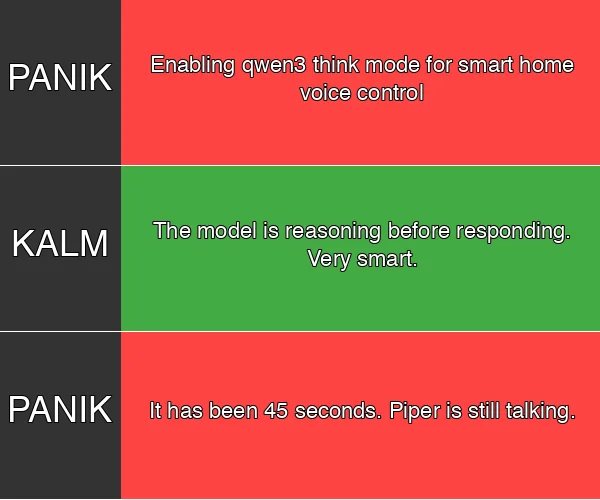
Picture this: you say “turn off the living room lights.” The model starts thinking. Five minutes later - I am not exaggerating - Piper is still reading out the LLM’s internal monologue. Something like: “Let me consider the implications of this request. The user wants to control lighting in the living room area. There are multiple light entities registered in the great_room area. I should consider…” My partner came in from the kitchen to see what was happening.
I disabled think mode. Still verbose. “Sure! I’ve turned on the lights for you in the living room! Let me know if there’s anything else I can help with today!” when “Lights on” is the correct answer. Three words, Qwen. Three words.
I rebuilt the system prompt. Dropped context from 8192 tokens to 2048. Cut max history from 20 messages to 5. Rewrote the prompt to enforce “under 10 words.” Better. Not fixed.
Eventually I switched to llama3.2:3b. No think mode to accidentally enable. Faster inference. Naturally terse. The full round-trip from wake word to audio response is 2-3 seconds on GPU. That’s the threshold where voice control actually feels like voice control.
The qwen3 optimization docs I wrote are still sitting in my notes as a cautionary artifact.
The Model Hunt (Tool Calling Is the Hard Part)
After the qwen3 experience I kept testing models, because the problem wasn’t just verbosity. It was tool calling.
HA’s LLM integration works by exposing your entities as callable tools. Turn off the lights? The model needs to output a structured function call - light.turn_off with the right entity ID - not a sentence describing what it would do. The catch: local models are inconsistent at this. They’ll sometimes produce the right call, sometimes output a markdown description of what they’d do instead of actually doing it, sometimes produce a call in subtly wrong format that HA can’t parse. Same model, same command, different result depending on phrasing.
I went through the models that fit in 16GB of VRAM:
| Model | Speed | Tool Calling | Verdict |
|---|---|---|---|
| qwen3:4b | Fast | ~70% reliable | Think-mode disaster. Dropped. |
| llama3.2:3b | Fast | ~80% simple commands | What I run. Good enough for basic control. |
| llama3.1:8b | Moderate | Better than 3b | Borderline voice latency. More capable. |
| mistral:7b | Moderate | Similar to llama3.1 | Too verbose. Didn’t stick. |
| Claude (cloud) | Fast | Near 100% | Best results. Not local. |
None of the local options are great at tool calling. The best I’ve seen is “reliable on simple single-device commands, inconsistent on anything more complex.” Ask it to turn off one light: fine. Ask it to activate a scene while checking the calendar: you’re rolling dice.
My working theory is that sub-13B models just don’t have the instruction-following consistency this requires. And 13B+ models are too slow for real-time voice on my hardware - you’d be waiting 5-6 seconds for a response, which kills the whole point. If anyone has found a local model that handles HA tool calling reliably, genuinely want to know.

Claude as the Backup (Because Tool Calling Actually Works There)
So I added Claude.
Home Assistant has an Anthropic integration that lets you configure Claude as a conversation agent. I have it set up - when I need reliable tool calling or anything complex, I switch to it from the HA voice assistant UI. The difference is not subtle. Claude follows HA’s tool calling format correctly every time, handles multi-step commands without losing track, and doesn’t hallucinate entity names. “Turn on the office lights, set the thermostat to 68, and tell me what’s on my calendar tomorrow” - Claude does all three, correctly, in one shot.
The STT and TTS still run locally. Faster-whisper processes the audio on my GPU. Piper speaks the response. The only part hitting an external server is the conversation layer. So my voice isn’t going to Amazon, just the text of my command going to Anthropic. That’s a tradeoff I’m okay with for the cases where I actually need it to work.
The Ollama system prompt I run even has this in it:
If you cannot perform an action (like controlling a device), say so briefly
and suggest the user try asking again with "Hey Claude" or switch to the
Claude pipeline.
So the local model will tell you when it’s out of its depth. Whether that’s clever fallback design or just honesty about limitations depends on your mood when you hear it.
Voice Prompt Priming (A Partial Workaround)
Before leaning on Claude as the backup, I spent a while trying to make local models better at tool calling through the system prompt. The technique is voice prompt priming - explicitly telling the model what tools exist, when to use them, and what format to use.
The idea: instead of letting the model figure out it should call light.turn_on, you put it in the prompt:
When the user asks to control devices, ALWAYS use the provided tools.
Never describe what you would do - just call the tool directly.

If a tool call fails, say "I couldn't reach [device]" -
do NOT explain why or offer alternatives.
It helps at the margins. Commands that failed 30% of the time now fail maybe 10-15% of the time. The floor went up. But the ceiling is still low - the model still breaks on edge cases, still occasionally outputs a description of a tool call instead of making it. For lights and switches it’s good enough. For anything you care about getting right every time, it isn’t.
The honest version of where I’ve landed: voice prompt priming buys you reliability on simple commands, Claude handles the complex ones, and local-only is fine if you stick to basic device control and use HA’s native intent recognition for everything it covers. That combination works. A fully capable local LLM for voice tool calling doesn’t exist yet at the model sizes that fit my hardware.
The System Prompt That Protects My Server
Here’s something nobody tells you about running an LLM in your smart home: you have to explicitly tell it what not to do.
The current system prompt includes a block I added after an incident:
CRITICAL SAFETY RULES - NEVER VIOLATE THESE:
- NEVER turn off, control, or interact with these entities:
  - switch.office_server_rack (server power - would cause data loss)
  - switch.office_computer_energy_switch
  - switch.basement_water_heater
  - switch.adguard_home_protection (network security)
- When asked to "turn off the office", ONLY control light.* entities, never switch.*
- If unsure whether a device is safe to control, DO NOT control it
What happened: “turn off the office.” I meant the lights. The LLM, helpfully trying to fulfill the request completely, cut power to the server rack.
Home Assistant’s LLM integrations expose your entities to the model. All of them, by default. A model trying to “turn off the office” sees light entities, switch entities, media player entities - and makes a choice. Without explicit rules, it makes whatever choice seems most complete.
Now: the server rack is protected by hard rules in the prompt. The model is told that “the office” means lights only. And if it’s not sure, it should not act. Three lines of prompt engineering, but they matter enormously.

The rest of the system prompt:
You are Joe's smart home voice assistant. Be brief - respond
in one sentence when possible. Confirm actions directly without
explaining how you did them. Be friendly and natural, like a
helpful housemate.
One sentence. That constraint alone improved the day-to-day experience more than any model swap or hardware upgrade.
What Works Well, What Doesn’t
After a year of running this, here’s the honest accounting.
Works reliably:
Lights, switches, scenes - anything HA’s built-in intent recognition handles natively. These never touch the LLM and are fast. “Turn on the bedroom lights” resolves in under a second.
Weather queries. I have a voice automation that pulls from HA’s weather entity and responds with the forecast. The LLM isn’t involved. Neither is any external API. Works every time.
Calendar queries. Same pattern. “What’s on my schedule tomorrow?” gets pulled from HA’s calendar integration, formatted, read back via Piper.
The Piper voice. This was the part I expected to be the weakest link. It isn’t.
Works, but with caveats:
Multi-step requests. “Turn off all the lights and lock the front door” works, but the LLM round-trip adds latency. This is where the 2-3 second response time becomes noticeable.
Questions where the model can answer from training data. General knowledge, quick calculations. But the model doesn’t have real-time information - it doesn’t know what the outdoor temperature is unless HA tells it. Anything that needs current context either needs a custom voice automation, or it fails gracefully.
Doesn’t work well:
Noisy environments. Recognition accuracy is worse than Alexa was, full stop. GPU acceleration makes it less bad by reducing transcription time, but the underlying recognition quality is still below commercial cloud services. If you have loud fans, TV noise, or kids - expect more misses than you’re used to.
Ambiguous commands with lots of entity candidates. “Dim the lights” in the great room, which has 11 separate Hue bulbs across three groups, is a gamble. The model will do something. It might not be the right something.
The Fallback Chain
Three pipelines sounds like overkill. It isn’t.
When faster-whisper’s GPU host is down: the “Ollama Local” pipeline takes over automatically. CPU-only Whisper, same LLM. Slower, but the voice assistant still works while I fix whatever’s broken.
When Ollama is unavailable: Home Assistant Cloud.
This matters because the alternative is “the voice assistant fails silently.” You say a command, nothing happens, you say it louder, still nothing, and you have no idea if the hardware is broken or you just weren’t heard. Explicit fallback means at least something responds, and that something can tell you “I’m using the cloud fallback right now” if you ask.
I also run a monitoring check that pings the Wyoming Whisper endpoint on a schedule. If it goes offline, I get a notification before I discover it the hard way by yelling at a speaker.
One feature worth knowing about: HA now supports two wake words mapped to two separate pipelines. So you could have “Hey Jarvis” trigger your fast local pipeline for simple device control, and “Hey Claude” trigger a second pipeline that routes through Claude for complex requests. I haven’t wired this up yet, but it’s a cleaner version of what I’m doing manually by switching pipelines in the UI.
Is It Worth It?
If you have the homelab infrastructure already: yes. The privacy case is real - zero audio leaves my network. No data at a company I don’t control. The faster-whisper GPU I use for voice is the same one I use for subtitle generation - voice AI is almost free on hardware you’re already running.
If you’re building from scratch for voice specifically: run the numbers. You need a machine capable of running Ollama at reasonable speeds (realistically: something with a decent GPU). The RTX A4000 I use is overkill for voice - it’s there for other reasons. An 8GB GPU can run llama3.2:3b while still handling other workloads, though VRAM management becomes trickier.
The part the tutorials don’t cover: tuning. The initial setup - installing faster-whisper, Piper, Ollama, wiring them together in HA - takes an afternoon. Writing a system prompt that makes the assistant actually useful takes weeks. Teaching your family new wake words takes months. Explaining why “turn off the office” is now a forbidden phrase takes approximately one incident.
That’s the gap between “it runs” and “we use it.” For what it’s worth, we use it every day.
I want to be clear that this is still a work in progress. Recognition accuracy has plenty of room to improve. Model quality keeps getting better and I’ll probably swap llama3.2:3b for something newer in six months. HA’s voice intent coverage keeps expanding with every release. The whole space is moving fast enough that anything I write here will be partially out of date by the time you read it.
But that’s also what makes it interesting. This has been one of the more genuinely satisfying homelab projects I’ve taken on - not because it’s finished, but because it’s actually useful and I can see exactly how it works at every layer. No black boxes. No terms of service I agreed to without reading. Just my hardware, my models, my data.
FAQ
My Ollama model understands the command but nothing happens in HA - why?
Almost always a tool calling failure. The model produced a response but didn’t output a valid function call, so HA had nothing to execute. Check the HA logs under Settings → System → Logs and filter for ollama. You’ll see what the model actually returned. If it’s a sentence instead of a tool call, the model needs more aggressive prompt priming or you need to switch to Claude for that command type.
Which Ollama models actually support tool calling reliably for HA?
Honestly, none of the small ones do reliably. llama3.2:3b and llama3.1:8b support the tool calling spec but fail inconsistently in practice - especially on sequential or multi-entity commands. The HA community reports this widely. If reliable tool calling is your goal, Claude via HA’s Anthropic integration is currently the only consistently working option. Local tool calling is an active area - this will improve.
How much VRAM do I actually need?
See the table in the Hardware section above. Rough answer: 8GB for a working but constrained setup, 16GB for comfortable multi-service sharing, 24GB+ if you want a 13B model with real tool calling capability.
Whisper or Speech-to-Phrase - which should I use?
If you have a GPU: faster-whisper with a medium or large model. Better recognition, handles open-ended speech. If you’re on CPU or a Pi: Speech-to-Phrase. It only recognizes predefined phrases but responds nearly instantly and doesn’t need GPU inference. For most home control use cases, the predefined phrases cover what you actually say.
Why does the second command in a conversation fail when the first works?
Context window issue. The model is accumulating conversation history and getting confused or hitting its context limit. Drop max_history to 3-5 messages in the Ollama integration settings. Voice assistants don’t need long memory - each command is effectively a fresh interaction.
Can I use this without a Home Assistant Voice PE hardware device?
Yes. Any microphone connected to a device running the HA Assist app works - including the iOS/Android app, a browser tab, or a dedicated satellite device you build with an ESP32. The Voice PE is just a convenient pre-built satellite. The pipeline runs server-side regardless of what device captured the audio.
How do I run faster-whisper on GPU instead of CPU in Docker?
You need NVIDIA Container Toolkit installed on the host, and pass --gpus all (or --gpus device=0 for a specific card) to the Docker run command. The faster-whisper container also needs the correct CUDA version to match your driver. Check nvidia-smi on the host to confirm your driver version, then match the CUDA tag in the container image accordingly.
Do I still need an internet connection for any of this?
With all three components running locally, no. HA itself can run fully offline. The only exception is if you use HA Cloud as a fallback pipeline - that’s cloud-backed by definition. If you want zero internet dependency, remove the Cloud pipeline and run local-only across all three.
If you’re setting up the hardware foundation, the homelab getting started guide covers what you need before any of this makes sense.

Joe Karlsson
Developer Marketing Engineer at CData, leading developer growth for the managed MCP platform that connects AI agents to live enterprise data. Writing about databases, self-hosting, and the things I build. Runs a 60+ container Proxmox homelab with AI-powered automations.
cat newsletter.md
Works on My Machine is my newsletter: thoughts and reactions on tech writing, AI, homelab builds and open source, plus whatever I'm working on. It goes out when I have something to say.
Free, no spam, unsubscribe anytime. Read past issues.
Related Posts

Jun 18, 2025
I Replaced Alexa with a Dumber Voice Assistant (But at Least It’s Private)
After five years of building automations in Home Assistant, I finally pulled the trigger on something I’d been contemplating for months: completely replacing my Amazon Alexa ecosystem with Home...
Mar 22, 2026
Self-Hosted Music Still Sucks in 2026
The *arr ecosystem perfected video automation but music remains stuck with album-centric workflows. Current tools like Lidarr force complete album downloads when users want individual tracks.
Mar 22, 2026
How to get started with Home Assistant in 2026
Are you looking to turn your home into a smart home? With the help of Home Assistant, you can easily automate tasks and make your home more efficient.