
TL;DR
Claude Code mods, new in October 2026, are small programs that plug into Claude Code: they can stop or change what Claude is about to do, and put status lines, side panels and pop-ups on screen. After two days of building them, I think they're more useful than hooks. Most of my hooks and CLAUDE.md rules only worked if Claude remembered them, and five of my hooks never worked at all without me noticing. A mod enforces the rule itself and shows me it ran. Mods that crash get skipped, they have full access to your machine, and they're changing fast, so I kept my working blocking hooks as a backup.
Anthropic shipped mods at the start of October 2026. I sat down to build one on October 14, and by the next afternoon I had two Claude Code mods running in every session and more in progress. My first impression: mods are more useful than hooks, and it isn’t close.
Almost every rule I’d given Claude lived in a CLAUDE.md file or in one of my Claude Code hooks that handed the model some text and hoped it would remember. That’s the honor system. A mod moves the rule into code that Claude Code itself runs, and it can put the rule on screen, so I see it working instead of trusting the agent’s memory.
Two weeks ago, in my 2026 setup post, I wrote “If you’re letting an agent near real systems, learn hooks first.” I’d still learn them, but I trust the ones I wrote a lot less now.
What Claude Code mods are
A mod is a small program that plugs into Claude Code itself. It sees what Claude is about to do, like run a command, edit a file, or answer me, and it can stop it, change it, or let it through. It can also put things on screen: a status line, a side panel, a pop-up, its own slash commands.
Hooks could already stop Claude from doing things. What they couldn’t do was show me anything, or remember anything from one step to the next.
Why Claude Code mods beat hooks
I was cleaning up my homelab repo and found four hooks that were supposed to hand Claude my notes on Home Assistant, my NAS and Proxmox whenever I mentioned them. None of them had ever worked. One small formatting mistake meant Claude Code threw away everything they sent, and it never said a word about it. The Home Assistant one had been in place since January.
To check, I wrote a test hook that tells Claude a secret word and then asked Claude for the word. With my old format, it had no idea. With the fixed format, it answered right away. In both cases, nothing on my screen told me which one I had.
I found a second broken hook while I was at it. Claude and Word documents don’t get along on my Mac. Claude would edit a doc in my OneDrive folder, and then Word or OneDrive would save their own copy right over its changes, or the file would come out corrupted. So I wrote a hook to stop Claude from writing into that folder at all. It prints “BLOCKED” and then lets the write go through anyway, because it reports the failure the wrong way. As far as I can tell, that hook has never blocked a write.

Both are my mistakes, and the docs explain both. But that’s my problem with hooks the way I was using them: when one broke, nothing told me. The rules in my CLAUDE.md file have their own version of that problem. They only work if Claude remembers them in every session. So there are two problems: rules in CLAUDE.md depend on Claude’s memory, and hooks can break without telling me. Mods fix the first because the rule is code, and the second because they can show me they ran.
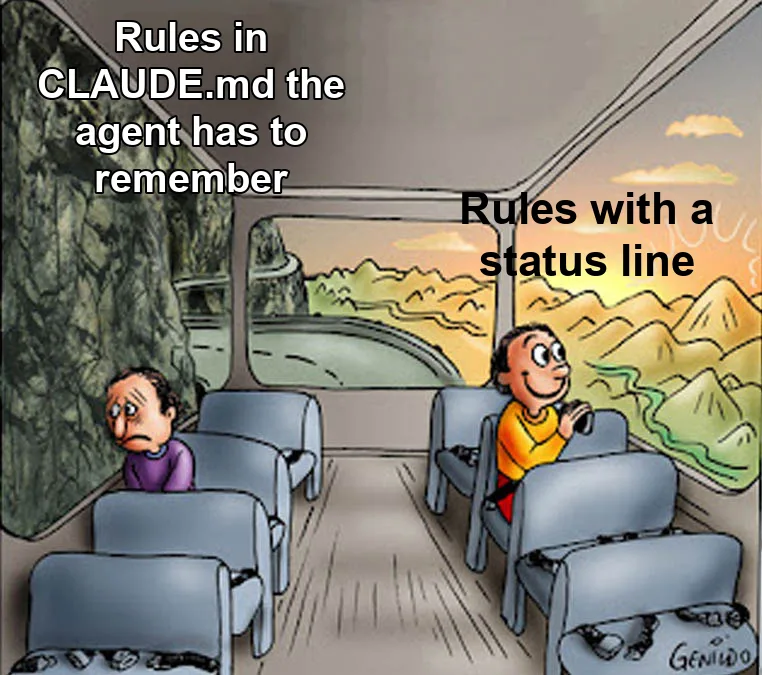
How I’m using them
A global mod that runs in every project on every machine I use:
- Parallel sessions. I usually have several Claude sessions going at once. If another one is working in the same folder, the mod stops this one from editing files there or making a commit that could sweep up the other session’s work, and the status line tells me who I’m sharing with.
- Word guard. This is the real fix for the Word mess. If a document is open in Word, Claude can’t write to the file, and the mod tells it to make the change through Word itself instead.
- Unpushed work. If Claude leaves commits I haven’t pushed, a warning shows up under its answer, and I get a notification if I close the session anyway.
- Commit messages. Every commit message has to follow my format, or the commit doesn’t happen.
A homelab mod with a side panel that tells me whether anything in my homelab is broken right now. It’s one line, like “1 critical · 8 warnings”, plus the critical items, each with a button that tells Claude to go investigate. It reads the same health checks and alerts I already had. The mod also stops Claude from changing my containers by hand and keeps an eye on each deploy until it finishes.
It also replaced the dead hooks. When I mention a service, the mod hands Claude my notes on it and pops up a message saying so. That pop-up is most of why I prefer mods. And unlike my old hooks, every guard has tests that check it says no, which run before I can commit a change to it. If it doesn’t show up, I know right away, instead of nine months later.
Still in development is a mod that hands work back to Claude when it skips a step. If Claude changes code without running the tests that cover it, the mod sends it back to run them. It’s a few days old, and I haven’t trusted it with anything that matters yet.
What I don’t like
They fail open. If a mod crashes, Claude Code skips it and keeps going. That makes sense, since one buggy mod shouldn’t freeze every session, but it means a broken guard stops guarding while the session keeps going. My mods load straight from a folder, so when one crashes, Claude Code leaves a one-line note in the chat saying which one. That’s more than my hooks ever gave me. For mods installed from a marketplace, the note only goes to a debug log. I kept my homelab’s old blocking hooks, which do work, running as a backup anyway. So the visibility argument holds for mods I load myself. Install one from a marketplace and you’re closer to hoping it ran.
They can do anything I can. A mod runs with full access to my machine. I wrote mine with Claude, so I’m reviewing code I didn’t type before letting it decide which commands run. I wouldn’t install a stranger’s mod without reading every line.
No screen, no panel. When Claude runs in the background or in the cloud, mods still do their checks, but nothing shows up, so the status lines are no help there.
It’s changing fast. Claude Code put out about a dozen releases in the two weeks after mods launched. Expect to fix your mods after updates.
Should you use them
Yes. It’s only been a few days and all I have is my own experience, but mods have been far more useful to me than hooks. Claude ignores them less often because they don’t depend on it remembering anything, and they’ve already made my workflow better and made me trust my agents more.
If you keep repeating the same rules to your agent, start with those. My rule of thumb: if a rule in CLAUDE.md exists because something went wrong on a specific day, make it a mod. Keep CLAUDE.md for judgment calls like tone and taste, where there’s nothing for code to check.
Keep any hooks that block things, but check that they actually block. And if you have hooks that feed Claude extra context, test them: have one tell Claude a secret word, then ask for it.

Joe Karlsson
Developer Marketing Engineer at CData, leading developer growth for the managed MCP platform that connects AI agents to live enterprise data. Writing about databases, self-hosting, and the things I build. Runs a 60+ container Proxmox homelab with AI-powered automations.
cat newsletter.md
Works on My Machine is my newsletter: thoughts and reactions on tech writing, AI, homelab builds and open source, plus whatever I'm working on. It goes out when I have something to say.
Free, no spam, unsubscribe anytime. Read past issues.
Related Posts

Oct 6, 2026
Breaking up with Claude Code
OpenCode with open models isn't a one-to-one swap for Claude Code. What broke, what fixed it, and which models I use.

Apr 7, 2026
My Personal Claude Code Skills Repo Accidentally Became Internal Tooling
I built a few Claude Code skills for myself because I was tired of copy-pasting the same prompts. Then my coworkers started asking questions. Here is what happened when a personal productivity tool became team infrastructure.
Oct 24, 2025
Building a Claude Code Blog Skill: What I Learned Systematizing Content Creation
I live in the terminal. Like, genuinely live there. As a developer advocate, it’s where I spend most of my time - running commands, testing code, writing docs. Over the past few months, Claude Code...