TL;DR
My 2026 setup is built around speed, consistency, reliability, and reach, and it leans hard into running AI agents concurrently. I moved from iTerm2 and Oh My Zsh to Ghostty, plain zsh, and Starship, and cut shell startup by more than half. I talk to Claude Code through Handy, an open-source, local speech-to-text app. Several agents run at once in Ghostty splits and git worktrees, guided by version-controlled rules, hooks, and verification workflows that chezmoi deploys to every machine.
My development setup in 2026 is built around four goals: speed, consistency, reliability, and reach. Here’s what each one means to me:
- Speed. A new terminal window should be ready the instant it opens. Starting a new task should take seconds. And my agents should finish tasks quickly and correctly, because a fast wrong answer isn’t fast.
- Consistency. Anything I do more than twice becomes a skill, a workflow, a rule, or a hook, so it happens the same way every time, can run concurrently, and can be rolled back with git. That goes for my writing too, which runs through linter rules. And every machine I work on, across different operating systems, gets its environment from the same version-controlled repo.
- Reliability. My homelab has to stay up, and my agents have to do the job right. Both need checks.
- Reach. I can fix things from anywhere, including my phone.
Running through all four is the biggest change this year: concurrency. I rarely have only one agent working anymore. I usually have three to six going at once (before my brain starts to melt from context switching), on different tasks, and most of this setup exists to make that fast and safe. Agents amplify whatever environment you give them. A messy one gets you messy work, faster.
This isn’t a side-project setup. I use it at my day job every day, and some of the most useful patterns below (worktrees especially) came from real work, not from tinkering with my homelab on a Saturday.
The short version of what changed:
| What | Last year | Now | Goal |
|---|---|---|---|
| Terminal | iTerm2 | Ghostty | Consistency |
| Shell | Oh My Zsh + Powerlevel10k | Plain zsh + Starship | Speed |
| Talking to agents | Superwhisper | Handy, with local speech models | Speed |
| Claude Code | One session at a time | Several agents in splits and git worktrees | Speed, consistency |
| Agent rules | Lived on one laptop | Version controlled, deployed by chezmoi | Consistency |
| Checking agent work | Me, by eye | Verification workflows, hooks, health checks | Reliability |
| Writing checks | Spell check | Vale rules for my voice and AI slop | Consistency |
| Containers | Docker Desktop | Colima + the open source docker CLI | Consistency |
| Dotfiles | Hand-rolled symlink script | chezmoi across machines and operating systems | Consistency |
| Working away from home | Laptop on my home network | iPhone to a homelab dev container | Reach |
“Last year” means 2025. Versions as of September 2026: Ghostty 1.3.1, Starship 1.26, Claude Code 2.1, chezmoi 2.73, and Handy 0.9.7, on macOS and Debian 13.
The full inventory of hardware and apps lives on my uses page. This post is the why. Where it helps, I’ve tucked the actual config into collapsible blocks so you can copy it.
The terminal: where everything starts
Terminal: Ghostty
Last year: iTerm2, which I’d used for about a decade. Now: Ghostty.
iTerm never broke. I switched for two reasons. Ghostty’s config is one plain text file, so it lives in my dotfiles and every Mac gets the identical terminal. And I spend my day in splits now, and I wanted splits that behave exactly how I expect with zero setup on a new machine.
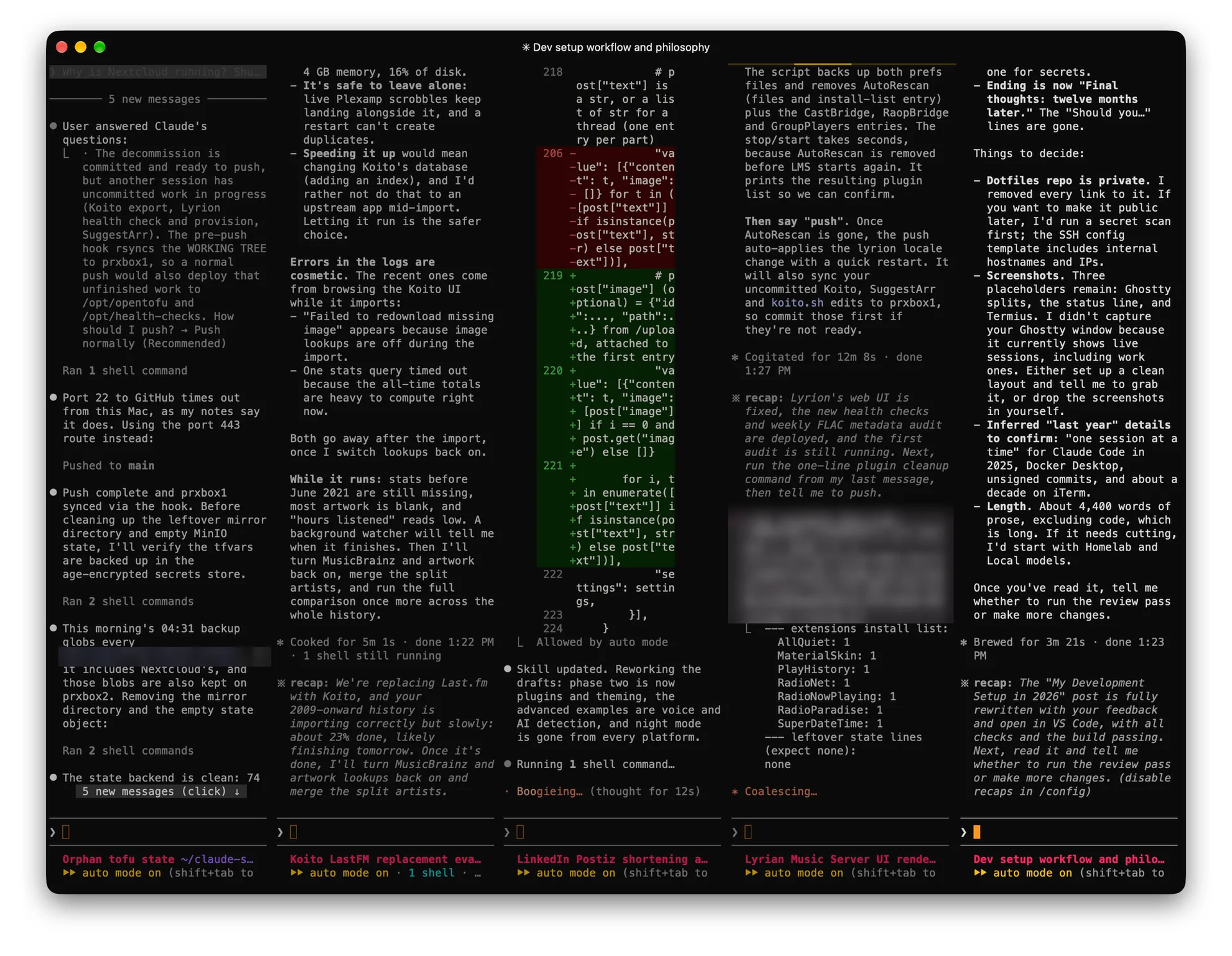
A normal session is one Ghostty window cut into four or five panes, each running a separate Claude Code session on a separate job. The screenshot below is a real afternoon: orphaned OpenTofu state, a Last.fm replacement, my social post scheduler, a music server’s web UI, and this post. I glance across them like a row of monitors.
That’s also why I don’t use the Claude Code extension for VS Code. It gives me one Claude inside one editor. Ghostty gives me as many as I want.
Show my Ghostty split settings
# Every split re-balances all panes evenly, like iTerm
keybind = cmd+d=new_split:right
keybind = chain=equalize_splits
keybind = cmd+shift+d=new_split:down
keybind = chain=equalize_splits
keybind = cmd+w=close_surface
keybind = chain=equalize_splits

# New tabs and splits open in the current directory
window-inherit-working-directory = true

# Install Ghostty's terminfo on hosts I SSH into
shell-integration-features = no-cursor,ssh-env,ssh-terminfo
Shell: plain zsh
I noticed lag. Opening a new tab had a small but real delay, and I open a lot of tabs. So I audited it: startup was around 108 ms, mostly Oh My Zsh plus a handful of tools spawning a subprocess every time a shell started. After the cleanup it was 46 ms, and new tabs feel instant.
What I learned from measuring: aliases are free, subprocesses aren’t. Dozens of aliases cost nothing measurable. Every eval "$(some-tool init)" did.
The bigger job was deciding what to keep. My shell was still set up for how I worked years ago, so I threw out everything I don’t use day to day anymore: Oh My Zsh itself (a couple hundred git aliases, of which my history showed I used two), nvm and its 779 MB, a local MongoDB install I hadn’t touched in ages, Python tooling I’d stopped using, leftover config for an editor I’d uninstalled, and a joke alias called yolo that committed with a random message from whatthecommit.com.

Now it’s zsh, about 50 lines of my own setup, and two plugins (zsh-autosuggestions and zsh-syntax-highlighting) installed with Homebrew, so they update the same way on every Mac.
Show the core of my .zshrc
# Shell core (plain zsh, no framework; plugins come from Homebrew)
HISTFILE=~/.zsh_history
HISTSIZE=50000
SAVEHIST=10000
setopt APPEND_HISTORY SHARE_HISTORY EXTENDED_HISTORY HIST_EXPIRE_DUPS_FIRST
setopt HIST_IGNORE_DUPS HIST_IGNORE_SPACE HIST_VERIFY

# Completion: full rebuild of the dump at most once a day, cached otherwise
autoload -Uz compinit
() {
  setopt local_options extended_glob
  local dump=${ZDOTDIR:-$HOME}/.zcompdump
  if [[ -f $dump && -z $dump(#qN.mh+24) ]]; then compinit -C -d $dump; else compinit -d $dump; fi
  [[ $dump.zwc -nt $dump ]] || zcompile $dump   # compiled dump loads faster
}

# Cache each tool's init script instead of spawning it on every startup.
# Keyed on the resolved binary path (the Homebrew Cellar path includes the
# version), so a brew upgrade regenerates it automatically.
_cached_init() {  # _cached_init <name> <cmd> [args...]
  local name=$1; shift
  local bin=${commands[$1]:A} cache=~/.cache/zsh/init-$name.zsh
  if [[ ! -s $cache || "$(<$cache.src)" != $bin ]] 2>/dev/null; then
    mkdir -p ${cache:h} && "$@" >| $cache && print -r -- $bin >| $cache.src
  fi
  source $cache
}
_cached_init fzf fzf --zsh
_cached_init zoxide zoxide init zsh

# mise shims instead of `mise activate`: no hook before every prompt
export PATH="$HOME/.local/share/mise/shims:$PATH"

# Must be last: it wraps every widget defined above
source /opt/homebrew/share/zsh-syntax-highlighting/zsh-syntax-highlighting.zsh
One more change, because of agents. Claude Code runs its commands in a shell that loads my .zshrc, and my cp -i alias sat at an invisible “overwrite?” prompt and hung a task. Claude Code sets CLAUDECODE=1, so the human-only stuff now steps aside:
# Human-only niceties. Claude Code (CLAUDECODE=1) runs commands through
# this file too, and interactive prompts hang it.
if [[ -z $CLAUDECODE ]]; then
  alias cp='cp -iv'
  alias mv='mv -iv'
  cd() { builtin cd "$@"; [[ -o interactive ]] && ll; }
fi
Your shell has a second user now. Go read your .zshrc with that in mind.
Aliases: git and getting around
The aliases that survived are the ones I type without thinking. Git, and moving between directories. gs is probably the most-typed thing on my keyboard.
Show my everyday aliases
# Git
alias g="git"
alias gs="git status"
alias ga="git add"
alias gcm="git commit -m"
alias gco="git checkout"

# Getting around
alias ..='cd ../'
alias ...='cd ../../'
alias ~="cd ~"
alias dev="cd ~/Documents/dev"
alias docs="cd ~/Documents"
alias dl="cd ~/Downloads"
alias dt="cd ~/Desktop"
alias f='open -a Finder ./'     # open this folder in Finder
alias e="code ."                # open this folder in VS Code
mcd() { mkdir -p "$1" && cd "$1"; }   # make a directory and cd into it
For everything else, zoxide handles the jumping: z blog takes me to this repo from anywhere.
Prompt: Starship
I loved Powerlevel10k, but its README has said “NO NEW FEATURES ARE IN THE WORKS” and “MOST BUGS WILL GO UNFIXED” since 2024. I don’t want the thing I look at thousands of times a day to be one macOS update away from breaking. Starship is maintained, works in any shell, and is one TOML file.
I use the catppuccin-powerline preset with two things turned off: git status counts and language versions. Out of the box they ran git status and node --version before every prompt. When I want the details, I type gs.
Show what I trimmed from the Starship preset
# catppuccin-powerline preset, trimmed for speed:
#  - git_status off: a full `git status` every prompt cost ~50 ms in repos
#    (branch alone ~8 ms)
#  - language version segment removed: each module launches its runtime
#    (node --version ~65 ms)
palette = 'catppuccin_mocha'

[git_status]
disabled = true
Working with agents
Voice: Handy is my Jarvis
Last year: Superwhisper. Now: Handy.
I talk to my agents far more than I type to them. Hold a key, say what I want, let go, and the text lands in whichever Claude pane has focus. It feels a lot like having Jarvis: I narrate the problem the way I’d explain it to a coworker, and the agent goes and does it. Talking also makes me explain what I want instead of firing off half a thought.
Superwhisper was good. Handy is open source, free, and runs any local model I want: Whisper, or NVIDIA’s Parakeet, which is what I use. Its cleanup pass (punctuation, misheard words) points at a local model on my homelab GPU, so nothing leaves hardware I own. That’s a theme in this setup. Keeping my data on my own machines isn’t one of the four goals, but it constrains all of them.
Concurrency: git worktrees
Two agents sharing one git checkout will happily commit each other’s work. One of my commits once swept up three files a different session had left staged. So there’s a rule now: stage and commit in the same step, by path, never git add -A.
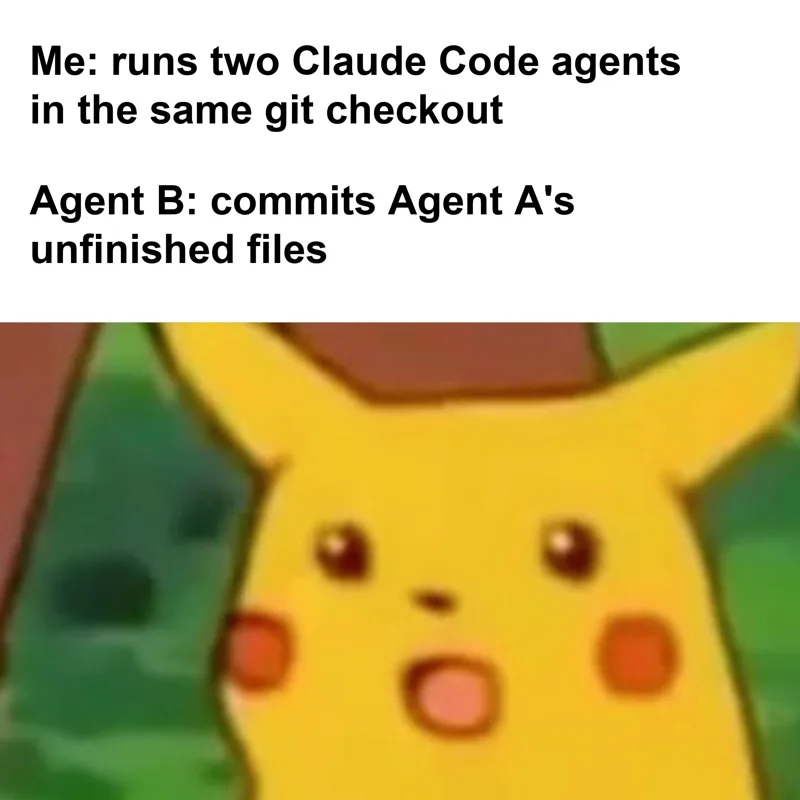
That’s enough when agents touch different parts of a repo. When they’re in the same code, each one gets its own git worktree: a separate checkout on its own branch, sharing one .git. Nobody sees anybody’s half-finished changes, and I merge each branch when it’s done.
git worktree add ../docs-nav -b nav-cleanup   # new checkout on a new branch
cd ../docs-nav && claude                      # this agent works here
git worktree remove ../docs-nav               # clean up after merging
At work I’ve had five agents in one docs repo at once, each in its own worktree: one restructuring navigation, one fixing broken links, a few rewriting pages. The costs are small. Each worktree needs its own npm install, dev servers can fight over a port, and I still resolve conflicts at merge time.
Status line: which pane is which
With five panes open, I need to know which is which at a glance. Claude Code runs a status line script at the bottom of every session. Mine shows the session title, directory, git branch (with a * if there are uncommitted changes), model, and how much context is used.
The title does the heavy lifting. Each pane labels itself (“Orphan tofu state,” “Dev setup workflow and philosophy”), and a notification hook uses the same title, so when an agent needs me I know which one. The context percentage tells me when it’s time to wrap a session up.

Show my Claude Code status line script
#!/usr/bin/env bash
# Claude Code status line: session title, dir + git branch/status,
# model, and context usage. Requires jq.
input=$(cat)

cwd=$(echo "$input" | jq -r '.workspace.current_dir // .cwd // empty')
[ -z "$cwd" ] && cwd=$(pwd)
model=$(echo "$input" | jq -r '.model.display_name // empty')
used=$(echo "$input" | jq -r '.context_window.used_percentage // empty')
title=$(echo "$input" | jq -r '.session_name // empty')
# Keep long titles from pushing the rest off narrow splits
[ ${#title} -gt 50 ] && title="${title:0:49}…"

dir="$cwd"
case "$dir" in
  "$HOME") dir="~" ;;
  "$HOME"/*) dir="~/${dir#"$HOME"/}" ;;
esac

branch=""; dirty=""
if git -C "$cwd" --no-optional-locks rev-parse --is-inside-work-tree >/dev/null 2>&1; then
  branch=$(git -C "$cwd" --no-optional-locks symbolic-ref --short HEAD 2>/dev/null \
    || git -C "$cwd" --no-optional-locks rev-parse --short HEAD 2>/dev/null)
  [ -n "$(git -C "$cwd" --no-optional-locks status --porcelain 2>/dev/null | head -n 1)" ] && dirty="*"
fi

out=$(printf '\033[34m%s\033[0m' "$dir")
[ -n "$title" ] && out="$(printf '\033[1;35m%s\033[0m' "$title") $out"
[ -n "$branch" ] && out="$out $(printf '\033[32m%s%s\033[0m' "$branch" "$dirty")"
[ -n "$model" ] && out="$out $(printf '\033[36m%s\033[0m' "$model")"
[ -n "$used" ] && out="$out $(printf '\033[33mctx %.0f%%\033[0m' "$used")"

printf '%s\n' "$out"
Rules: a CLAUDE.md that follows me everywhere
What I’ve learned this year: agents need a way to verify their own work. Without one, a capable agent will confidently tell you it’s done. With one, it checks, and when the check fails, it fixes the problem and checks again.
So anything I do more than twice gets written down as a rule, a skill, a hook, or a linter, and all of it lives in git.
The rules live in CLAUDE.md, the file Claude reads at the start of every session. Mine is in my dotfiles, and chezmoi deploys it to every machine, including the Linux container I reach from my phone. Change a rule once, push, and every Claude I talk to follows it.
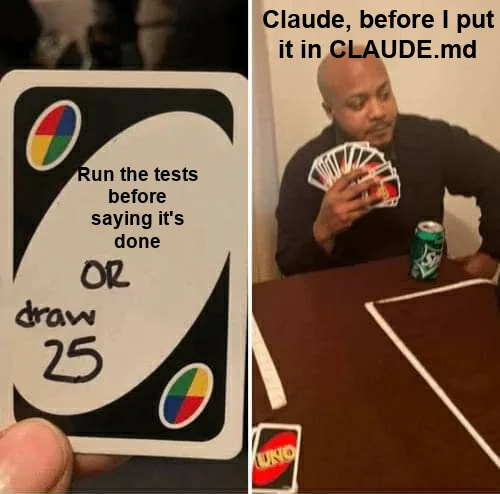
Every rule started as a mistake. “Test the change you made” is a verification workflow in one sentence, and it’s the one that changed the most. The “match the effort to the risk” line came after Claude ran my entire test suite to change a comment. The Word rule came from edits that passed validation and then vanished when Word reopened a stale OneDrive copy.
Show excerpts from my global CLAUDE.md
## Testing

**Test the change you made.** Before calling it done, run the specific
feature, fix, or test once and confirm it works. Don't claim something works
without running it. If it fails, fix it and run it again. Don't ask me to
check something you could check yourself.

**Past that, use your judgment.** Match the effort to the risk.

- Tests: run the tests for the area you changed, not the whole suite by default.
- Check once. Don't confirm the same thing several different ways.

## Git Workflow

1. Always fetch the latest changes before making any changes.
2. Commit messages follow `feat:`, `fix:`, or `chore:`.
3. When a change is ready, commit it directly and push. Don't create a PR
   unless I explicitly request one.

## Editing Word documents: verify in Word, not just on disk

A .docx edit is not done until I can see it in Word. A correct file on disk
proves nothing: Word and OneDrive can silently replace it.
Workflows bake the same idea in. My homelab health check reports every finding, proposes a fix, and waits for my go-ahead. My blog pipeline fact-checks every claim and link before I see a draft. I wrote more about project-level CLAUDE.md files in how my Claude Code skills repo accidentally became internal tooling.
Hooks: rules that can’t be ignored
A rule is a suggestion Claude usually follows. A hook is a script that runs before a tool call and can block it.
Every container in my homelab is managed by OpenTofu and supposed to be immutable, so a hook blocks Claude from writing inside one and points it at the provision script. Read-only commands pass through. Another blocks restoring a Home Assistant backup without my OK. It’s a pattern list, not a sandbox, but it catches the mistakes agents make in practice.
Show part of the immutable-infrastructure hook
#!/usr/bin/env python3
"""
Claude Code PreToolUse hook that blocks write operations inside immutable
Proxmox containers. All containers managed by OpenTofu are immutable: changes
must go through provision.sh.tpl + tofu apply, never direct shell access.

Read-only operations pass through (df, du, ls, cat, grep, journalctl,
systemctl status, ...). A command is allowed only if every pipeline segment
is a known read-only binary AND it contains no write indicator.
"""

WRITE_PATTERNS = [
    r"apt-get\s+(install|remove|purge|upgrade)",
    r"\bsed\s+-i\b",
    r"\bsystemctl\s+(enable|disable|mask|unmask|start|stop|restart)\b",
    r"\brm\s+",
    r"\bdocker\s+(run|pull|build|compose|up|create|rm|stop|start|restart)\b",
    # ...
]
If you’re letting an agent near real systems, learn hooks first.
Editing and writing
Editor: VS Code
VS Code didn’t change. What I do in it did. It used to be where I wrote code; now it’s where I read and edit what agents wrote.
For anything bigger than a quick fix, I have Claude write the plan to a markdown file, then I open it in VS Code and edit it like a normal document. Cut steps, reorder, fix what it misunderstood. Claude works from my version. That’s faster than correcting a plan through chat, and it leaves a record of what Claude and I agreed to.
GitHub Copilot stays on for inline autocomplete when I’m fixing a line by hand. Prettier, ESLint, markdownlint, and cspell run on save.
Linters: my voice, written down as rules
This is the part of my setup I’m proudest of, and the one nobody asks about.
When an AI helps you write, the drafts drift. Not toward wrong, toward generic. Em dashes everywhere. “Robust.” “Seamless.” Sentences that all run the same length. After the fifth draft of something, I can’t see it anymore. So I wrote it down as rules for Vale, a prose linter:
- My own style,
JoeKarlsson. Banned words (the “delve, leverage, robust” list), banned openings like “In today’s world,” AI filler, and no em dashes. - vale-llm-slop for common LLM phrasing.
- An
ai-tellsstyle with 137 rules for the structural habits AI writing falls into: “not X, but Y,” announcement headings, closing pleasantries, defensive hedges. - write-good and proselint, minus the rules that fight my voice. I start sentences with “So.” Fine.
A LanguageTool server in my homelab handles grammar without sending drafts anywhere. And the part that matters: agents run the same checks. The linters run in the editor, before commits, and in CI, so the rules apply whether I wrote the sentence or Claude did.
Show my blog's Vale config
StylesPath = .vale/styles
MinAlertLevel = warning

Packages = https://github.com/Syntaf/vale-llm-slop/releases/latest/download/vale-llm-slop.zip, write-good

[*.md]
BasedOnStyles = JoeKarlsson, Slop, write-good

# write-good: disable rules that conflict with my voice
write-good.EPrime = NO
write-good.So = NO
write-good.Passive = warning
write-good.Weasel = warning
Reach and reliability
Remote: a dev container I drive from my iPhone
Last year: if something broke, I needed a laptop on my home network. Now: I need my phone.
claude-dev is a Debian container on my Proxmox cluster with Claude Code, my homelab repo, and the same CLAUDE.md as my laptops. On my iPhone I use Termius, which supports mosh, over Tailscale.
iPhone (Termius)
   |  mosh over Tailscale
   v
claude-dev (Debian LXC on Proxmox)
   |  on login: clean up stale sessions -> git pull -> claude
   v
Claude Code  --ssh-->  Plex, Home Assistant, Proxmox nodes, NAS ...
I run a Plex server for friends and family, which makes me their on-call support whether I like it or not. When someone texts me that Plex is broken and I’m out, I open Termius, tell Claude what they told me, and let it dig through logs and fix it while I keep doing whatever I was doing. A push notification tells me when it’s done. Mosh is what makes it work on a phone: elevators, Wi-Fi to cell, a locked screen, and it picks right back up.
The container updates itself every Sunday, Claude Code and dotfiles included. It’s managed by OpenTofu like the rest of the lab, which I covered in moving the whole homelab into OpenTofu.
Homelab: git push is the deploy
My laptops only edit. When I push the homelab repo, a git hook syncs it to an always-on Proxmox node, which applies the change and checks for drift. Every change is a commit, so rolling back is a git revert.
Every machine also has a health check: a suite of well over a hundred for the homelab, one for my Mac, and bin/doctor for my dotfiles. All of them report and wait for my go-ahead before fixing anything, because the first time I pointed cleanup tools at my Mac, npm doctor quietly deleted 3.3 GB of cache and an uninstaller nearly deleted live 1Password data.
Local models: not my coding tool
Handy’s transcription runs locally, and Home Assistant’s voice assistant runs on a 16 GB RTX A4000 in the rack I built over the last two years (more in running local voice AI on a GPU in Proxmox).
For code, I tried OpenCode and aider with Qwen3-Coder. Impressive for what they are, not close to Claude Code on long, multi-step work, partly because a GPU shared with Plex and photo processing means small context windows. I keep hearing the new Qwen3.8 models are excellent. I haven’t tested one on real work, so I won’t pretend to know.
Everything else
Secrets and git: 1Password
SSH keys live in 1Password and get served by its SSH agent. My SSH config is in my dotfiles; the keys never are. Commits are signed with the same key, Touch ID once per session.
My git config got an upgrade, mostly from Scott Chacon’s How Core Git Developers Configure Git. It pays off when I’m merging five worktree branches back in a row: zdiff3 shows the original in conflicts, rerere replays conflict resolutions I’ve already made, and delta makes diffs readable. delta only kicks in when git writes to a terminal, so an agent piping git diff still gets plain text.
Show my git config highlights
[diff]
    algorithm = histogram     # cleaner diffs when code moves around
    colorMoved = default
[merge]
    conflictStyle = zdiff3    # show the common ancestor in conflicts
[rerere]
    enabled = true            # remember how I resolved a conflict
[rebase]
    autosquash = true
    autostash = true
[push]
    autoSetupRemote = true
[fetch]
    prune = true
[help]
    autocorrect = prompt      # ask before running git's guess at a typo
[core]
    pager = delta
[gpg]
    format = ssh
[gpg "ssh"]
    program = /Applications/1Password.app/Contents/MacOS/op-ssh-sign
[commit]
    gpgsign = true
CLI tools
- mise replaced nvm and the wrapper functions I’d written to keep nvm from slowing down my shell. I use its shims, so nothing runs before each prompt.
- ripgrep, fd, fzf, jq, and gh. fzf uses fd under the hood, so fuzzy file search respects
.gitignore. - Colima replaced Docker Desktop. I got tired of Docker’s licensing and pricing changes, and I didn’t want my containers depending on a company making moves like that. Colima is open source and works with the regular docker CLI, so nothing else changed.
- Topgrade updates Homebrew, App Store apps, mise, npm globals, VS Code extensions, and Claude Code in one command. I turned off the steps that reboot the Mac or pull git repos over uncommitted work.
Show my Topgrade settings
# topgrade.toml: skip steps that reboot or touch my repos
[misc]
disable = ["system", "git_repos", "containers", "colima", "uv", "poetry", "pnpm"]
Dotfiles: chezmoi
Last year: a hand-rolled install.sh that symlinked files into my home directory. Now: chezmoi.
The script worked for one Mac. It fell apart with several machines that were mostly the same, one of which wasn’t a Mac at all. When I audited it, one laptop had months of uncommitted changes and another had pushed commits that conflicted with them. “My dotfiles are in git” and “my machines match my dotfiles” are different claims.
chezmoi fixes that with machine profiles. Each Mac gets asked once whether it’s work or personal; Linux is always a server, so provisioning a container never hangs on a prompt. The Linux container skips the Mac stuff but gets the same git config and the same CLAUDE.md. Everything that isn’t a template is a symlink, so editing ~/.zshrc edits the repo.
Show my chezmoi machine-type config
{{- /* Macs are asked once at `chezmoi init`.
       Linux is always "server" so provisioning never waits on a prompt. */ -}}
{{- $machine := "server" -}}
{{- if eq .chezmoi.os "darwin" -}}
{{-   $machine = promptChoiceOnce . "machine" "Machine type" (list "work" "personal") "personal" -}}
{{- end -}}
# Plain files are symlinks into the source dir, so editing ~/.zshrc edits the
# repo. Templates (.tmpl) are rendered copies: edit them with `chezmoi edit`.
mode = "symlink"

[data]
    machine = {{ $machine | quote }}
A new Mac is one clone and install.sh. bin/doctor keeps it honest afterward. As I write this, it’s failing on Brewfile drift, which is the point.
Final thoughts: twelve months later
A year ago my setup was a terminal, an editor, and one AI session I’d open when I got stuck. Most of it was config I’d accumulated and never questioned.
Now it’s built around working with agents, several at a time. I talk to them through a local speech model. They run side by side in splits and worktrees without stepping on each other. They follow the same version-controlled rules on every machine I own, and they check their own work before they tell me they’re done. When something breaks while I’m away, I fix it from my phone.
Going harder on AI made me care more about the boring stuff. Fast shell startup, one dotfiles repo, rules in git, hooks that block bad commands, linters for my writing. A consistent environment is what lets me hand off more and trust what comes back.
Next on my list: testing one of the bigger Qwen3.8 models on real coding work, and getting these dotfiles running cleanly on more than macOS and Debian.

Joe Karlsson
Developer Marketing Engineer at CData, leading developer growth for the managed MCP platform that connects AI agents to live enterprise data. Writing about databases, self-hosting, and the things I build. Runs a 60+ container Proxmox homelab with AI-powered automations.
cat newsletter.md
I write a weekly newsletter about databases, self-hosting, and whatever I'm building.
Subscribe on Substack →Related Posts

Sep 27, 2026
LiteLLM or CData Connect AI? Choosing the Right Enterprise AI Gateway in 2026
LiteLLM vs enterprise AI gateway, 2026 comparison: MCP governance, data connectivity, and when to use each. For IT admins and AI engineers.
Mar 21, 2026
Self-Hosted Music Still Sucks in 2026
The *arr ecosystem perfected video automation but music remains stuck with album-centric workflows. Current tools like Lidarr force complete album downloads when users want individual tracks.
Sep 26, 2023
How to get started building a Homelab server in 2026
I built my first Homelab server for under $200 using a used Lenovo ThinkServer from Facebook Marketplace and Proxmox. Here is everything I learned about picking hardware, choosing an OS, setting up containers, and mounting NAS storage.