TL;DR
Two used workstation GPUs, an 8GB Quadro RTX 4000 and a 16GB RTX A4000, run my cameras, voice assistant, local LLMs, and media across Proxmox LXC containers. Compute is shared fine, but VRAM is first come, first served, so the real work is deciding what shares a card. Always-on, latency-sensitive services (Frigate, Whisper) get the small card; bursty, VRAM-hungry ones (Ollama, Plex) get the big one, and Tdarr fills in on both. In my tests the old Quadro kept up with the A4000 on a model that fit (90 vs 83 tok/s for a 3B model) and fell to 5.9 tok/s on one that did not, and every local model except the weakest made up answers about things that do not exist.
Updated October 2026: I first published this in April. Since then Whisper moved to a bigger model, Frigate went from two cameras to four, and I benchmarked the open-source models I actually run on both cards, for speed and for whether their answers can be trusted. The original also said the RTX A4000 could encode AV1, which was wrong.
Two used workstation GPUs do all the AI and video work in my house. An 8GB Quadro RTX 4000 watches the security cameras and transcribes voice commands. A 16GB RTX A4000 runs local LLMs, Plex transcoding, and a video encoding queue that never seems to end. Both live in Dell R730s in a Proxmox cluster, and every service gets the GPU through Proxmox GPU passthrough to an LXC container rather than a VM.
The passthrough config is the easy part. What took me a year to figure out is who shares a card with whom. At my current workloads, containers share a GPU’s compute without much drama, but VRAM is first come, first served: whatever loads first keeps its memory, and whatever shows up later gets the leftovers.
I learned that placement matters the obvious way. Back when everything ran on one card, I was watching Frigate’s logs and saw object detection latency jump from about 30ms to over 2 seconds. Plex was transcoding a movie on the same GPU. Each service worked fine on its own, and I’d added them one at a time, so it never occurred to me they’d fight until a security camera started missing people.
In October I benchmarked the local LLMs I run on both cards, and the numbers back up the split: the older Quadro keeps up with the A4000 when a model fits in the VRAM that’s left and slows to a crawl when it doesn’t. I also checked whether the answers can be trusted, and every model except the weakest made up answers about things that don’t exist.
The rest of the rack is in the two-year homelab retrospective.
What the GPUs do in my house
Seven services do real work on the two cards:
- Frigate runs object detection on four security cameras around the clock. It’s what tells Home Assistant a person is at the door, which drives a lot of my favorite automations.
- Wyoming Whisper turns my voice into text for Home Assistant’s local voice assistant. It sits idle until someone talks, then has to answer in well under a second.
- Ollama runs the local LLMs behind that voice assistant, plus a few document and tagging jobs.
- llama.cpp serves a bigger coding model I experiment with.
- Plex transcodes for anyone streaming outside the house. The busiest it got last month was three transcodes at once.
- Immich transcodes the videos I back up from my phone. Its face recognition runs on CPU on purpose, so it never competes with an LLM for VRAM.
- Tdarr re-encodes my old video library in the background, on both cards at once.
A couple of smaller things borrow a GPU too, like a subtitle generator I built that waits for the GPU to be free.
prxbox1: Quadro RTX 4000, 8GB          prxbox2: RTX A4000, 16GB
  Frigate (4 cameras)                    Ollama + llama.cpp
  Whisper (voice)                        Plex
  Tdarr worker                           Immich video
                                         Tdarr server + worker
        \                                  /
         +------ 10G switch, NAS ---------+
The two cards
The Quadro RTX 4000 is a Turing card from 2018 with 8GB of VRAM and 416 GB/s of memory bandwidth. The RTX A4000 is Ampere, from 2021, with 16GB and 448 GB/s. They’re both single-slot blower cards, which is the whole reason I bought workstation cards: most gaming GPUs don’t physically fit in a 2U server, and they can’t push heat out the back of a chassis designed for front-to-back airflow. I paid about $400 for the Quadro used.
For LLMs, the bandwidth number matters more than the age. Generating each token means reading the whole model out of VRAM, so two cards with similar bandwidth generate at similar speeds, as long as the model fits.
Neither card can encode AV1. Both do H.264 and HEVC in hardware, and the A4000 can decode AV1 but not encode it.
As of October 2026, both nodes run Proxmox VE 9.2.21 on kernel 6.17.13 with NVIDIA driver 580.95.05.
Sharing one GPU across LXC containers
Proxmox gives a guest a GPU one of three ways. vGPU splits one card into virtual slices, but it needs NVIDIA licensing and a data center or high-end workstation card, and neither of mine qualifies. Full VM passthrough hands the entire card to one VM, so one service owns it. I use the third: LXC device binding.
The NVIDIA driver loads on the Proxmox host. The host creates /dev/nvidia0 and its friends, and each container gets permission to use those device nodes plus a bind mount of the driver libraries. Every container sees the same physical GPU at the same time. It’s the same idea as Docker’s --gpus all, one level down.
Here’s the part of a container config that does it:
lxc.cgroup2.devices.allow: c 195:* rwm
lxc.cgroup2.devices.allow: c 507:* rwm
lxc.mount.entry: /dev/nvidia0 dev/nvidia0 none bind,optional,create=file
lxc.mount.entry: /dev/nvidiactl dev/nvidiactl none bind,optional,create=file
lxc.mount.entry: /dev/nvidia-uvm dev/nvidia-uvm none bind,optional,create=file
lxc.mount.entry: /opt/nvidia-libs opt/nvidia-libs none bind,optional,create=dir
The 507 is the device number for nvidia-uvm, and it varies between hosts, so check yours with ls -l /dev/nvidia-uvm before copying this. /opt/nvidia-libs is a copy of the host’s driver libraries, and it has to be refreshed after every driver update or the containers fail with a version mismatch. Proxmox VE 8.2 and later can add the device nodes from the GUI (Resources, then Add, then Device Passthrough), but you still have to get matching libraries into the container. I don’t hand-edit any of this anymore. It’s a flag on the OpenTofu module that builds every container in my lab.
Once a few containers share a card, two different resources are in play:
- Compute is time-sliced. If Frigate and Whisper both want the GPU at the same instant, they take turns, and each gets a little slower. At these workloads I can’t measure the difference.
- VRAM is not shared. Each process holds what it allocated until it exits. Nothing gets evicted to make room for a newcomer.
Fast services get the small card
The rule I landed on: services that have to answer right now get the small card, and services that can wait get the big one.
Frigate and Whisper are the right-now services. A person walking past a camera is gone in a few seconds, and a voice command that takes three seconds to transcribe feels broken. Both are also predictable. They load once and hold the same amount of VRAM forever, so I can budget the 8GB card exactly:
| On the Quadro RTX 4000 (8GB) | VRAM |
|---|---|
| Frigate detector + 4 camera feeds | ~1.8GB |
| Whisper (medium-int8) | ~2.1GB |
| Driver and CUDA reserve | ~0.4GB |
| Free for anything else | ~3.8GB |
The Tdarr worker on this card only uses that free space, and only when there’s a job in the queue.
Everything bursty goes on the A4000. An LLM might want 5GB or 12GB depending on which model I just asked for. Plex and Tdarr want an encoder whenever someone presses play or a file lands in the queue. None of them is hurt by waiting half a second, and 16GB gives an 8B or 14B model room to load while Plex is transcoding.
Tdarr is the one service that spans both cards. The server on prxbox2 hands out jobs, and a worker on each node grabs files from the shared NAS and encodes them with its own GPU. Each file is independent, so two cards chew through the queue with no coordination beyond “who grabs the next file.”
In October I broke the rule on purpose. I ran Ollama on the full Quadro, next to Frigate and Whisper, and watched Frigate’s detector the whole time. It stayed at about 50ms, the same as before I started. (It was 30ms in April with two cameras. Four cameras put it at 50.)
The LLM is what suffered. Ollama checks how much VRAM is free before it loads a model, puts as many layers on the GPU as will fit, and runs the rest on the CPU. qwen3:8b got 15 of its 37 layers onto the card and ran at about 6 tokens per second, down from 55 on the A4000.
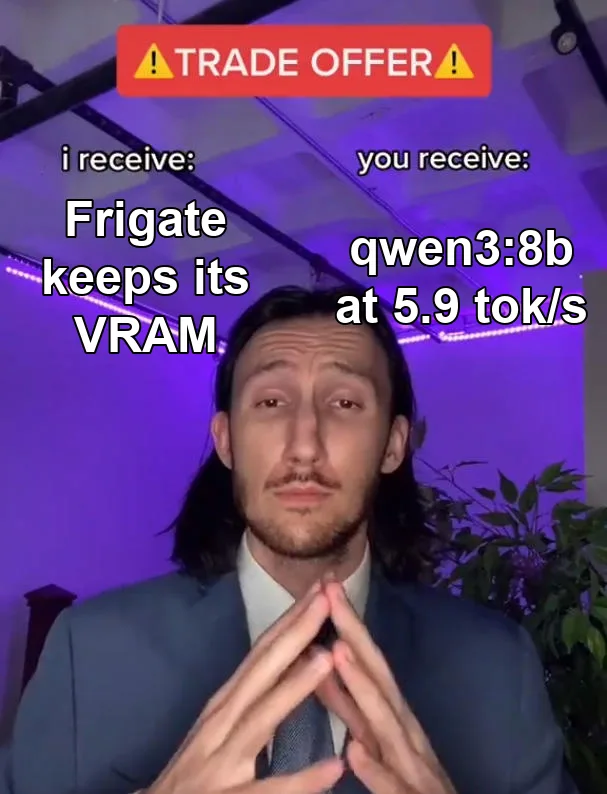
I wouldn’t count on every service being that polite, though. Plex knocked Frigate over in the first place. Keeping the latency-sensitive services on their own card means I don’t have to find out which ones aren’t.
Local LLM speed and accuracy
Speed
I ran the same prompt through every model I keep around (about 800 tokens in, 256 out, median of three runs) on Ollama 0.32.14. The A4000 was otherwise idle. On the Quadro, Frigate and Whisper kept running, so the LLM got the 3.8GB they left free.
| Model | RTX A4000 (16GB) | Quadro RTX 4000 (3.8GB free) |
|---|---|---|
| llama3.2:3b | 83 tok/s | 90 tok/s |
| qwen3:4b | 78 tok/s | 22 tok/s (partly on CPU) |
| qwen3:8b | 55 tok/s | 5.9 tok/s (mostly on CPU) |
| gemma3:12b | 36 tok/s | doesn’t fit |
| qwen3:14b | 33 tok/s | doesn’t fit |
| gpt-oss:20b | 64 tok/s | doesn’t fit |
When the model fits, the 2018 card keeps up with the 2021 one, which is what the bandwidth numbers predict, and when it doesn’t, the speed falls off a cliff. I’ve seen the same thing on the A4000: back in September, qwen3:30b-a3b needed more than the card’s 16GB, spilled into system RAM, and managed under one token per second.
gpt-oss:20b surprised me. It’s the biggest model on the list and the third fastest, because it’s a mixture-of-experts model that only uses a few billion of its 20 billion parameters for each token. On a 16GB card it’s the best deal I’ve found.
Accuracy: good at tasks, bad at facts
Speed doesn’t matter if the answer is wrong, so I also gave every model 17 questions with answers I could grade automatically:
- Home Assistant tool calls (6): a device list and a command like “Kill the lights where I cook.” The model has to answer with the right entity and action as JSON.
- Arithmetic (4): things like the monthly power cost of a 430W rack, or how much VRAM is left on the Quadro.
- Log extraction (3): pull a driver version or a percentage out of a log line.
- Trick questions (4): questions about things that don’t exist. What did Proxmox VE 12.4 add for Kubernetes? What’s the plot of the 1987 Tom Hanks film The Quantum Plumber? How do I configure the
hass_turbo_zigguratintegration? Which driver added AV1 encoding to the RTX A4000? The right answer to each is some version of “that doesn’t exist.”
Quality shouldn’t depend on the card, since the same model at the same quantization should give the same answers on either GPU, just faster or slower. So I ran this on the A4000 only.
| Model | Tool calls, math, logs (of 13) | Trick questions declined (of 4) |
|---|---|---|
| llama3.2:3b | 7 | 4 |
| qwen3:4b | 12 | 1 |
| qwen3:8b | 11 | 1 |
| gemma3:12b | 10 | 1 |
| qwen3:14b | 10 | 2 |
| gpt-oss:20b | 13 | 1 |
Every model 8B and up got all six tool calls right. qwen3:4b got five, which lines up with how flaky I found it in the voice assistant post. gpt-oss:20b went 13 for 13, with the caveat that it reasons before answering by default and I ran the qwen3 models with thinking off. Thinking would probably fix some of their math.
The trick questions went badly. qwen3:8b wrote a confident list of Proxmox VE 12.4’s new Kubernetes features. gemma3:12b named the exact driver version, 536.68, that “first added AV1 encoding” to a card that can’t encode AV1. gpt-oss:20b explained that hass_turbo_ziggurat is a random number generator you install from HACS. qwen3:4b cited “verified internet meme history” as a source.
The only model that declined all four was llama3.2:3b, which also failed almost half of the real tasks. Every other model invented at least one answer.
Seventeen questions is a sniff test, not a benchmark, so write ten of your own about your own setup and run them before trusting a model with anything. I use local models for jobs where I can check the answer, like picking which light to turn off, pulling a value out of a log, or tagging a document. I don’t ask them for facts.
Voice assistant latency
On the shared Quadro, Whisper’s medium model transcribes a short command in about a third of a second, and a 9-second rambling sentence in under one.
The LLM is where the time goes. Over the summer I tested models as Home Assistant’s conversation agent using the real prompt, all 171 tool definitions included. qwen3:8b took about 1.3 seconds per call and got every request right, so it’s what the voice assistant runs now. qwen3:14b was right too, at 1.9 seconds.
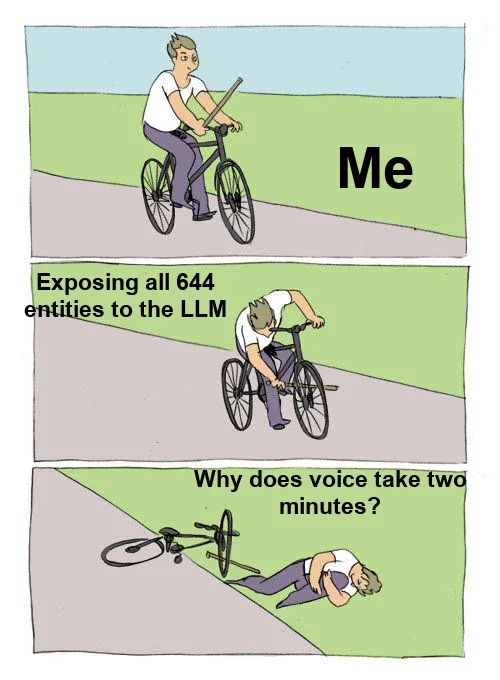
Home Assistant hands the model every entity you’ve exposed to voice, and I had exposed 644 of them. Cutting that to the 101 that make sense to control by voice took “which lights are on in the office” from 121 seconds to 3. That did more than any GPU change. If your local voice assistant is slow, check that list before you shop for a bigger card.
What I’d do differently
I’d plan the VRAM before buying the second server: add up what every always-on service holds, put those on one card, and give everything bursty a card of its own. My split came out of things breaking.
If you’re buying one card for a homelab that will run an LLM next to anything else, get 16GB. An 8GB card is great for cameras and voice, and it can run a 3B model at full speed in whatever’s left, but anything bigger spills to the CPU and slows down fast: 22 tok/s for a 4B model, 6 for an 8B.
I still haven’t measured three things: encode speed on either card, how Plex and Frigate interact on a shared card today, and anything about Immich. The hardware encoder sits apart from the CUDA cores, so I’d expect Plex to bother Frigate less now than it did in April, but I haven’t tested it.

Joe Karlsson
Developer Marketing Engineer at CData, leading developer growth for the managed MCP platform that connects AI agents to live enterprise data. Writing about databases, self-hosting, and the things I build. Runs a 60+ container Proxmox homelab with AI-powered automations.
cat newsletter.md
Works on My Machine is my newsletter: thoughts and reactions on tech writing, AI, homelab builds and open source, plus whatever I'm working on. It goes out when I have something to say.
Free, no spam, unsubscribe anytime. Read past issues.
Related Posts

May 27, 2026
I Finally Stopped Managing My Homelab by Hand (Everything Just Kept Breaking)
How I migrated 62 Proxmox containers to OpenTofu with a self-hosted MinIO state backend - the audit, the wave migration, the stack, and whether immutable infrastructure is actually worth it.
Mar 5, 2026
My Homelab Two Years Later, Every Upgrade and What It Cost
Two years after a $200 ThinkServer: two Dell R730s, 73 containers, metered power data, and whether a homelab pays for itself.
Sep 27, 2023
How to get started building a Homelab server in 2026
I built my first Homelab server for under $200 using a used Lenovo ThinkServer from Facebook Marketplace and Proxmox. Here is everything I learned about picking hardware, choosing an OS, setting up containers, and mounting NAS storage.