
TL;DR
I spent months building 86 health check scripts across 40+ Proxmox containers, discovered things were more broken than I thought, then migrated all 62 to OpenTofu in six intensive days using a wave-based approach with MinIO as a self-hosted state backend. That is 21,135 lines of provision script code, 50 git commits, and an honest take on whether it is actually worth it.
I was writing a health check script for one of my Proxmox containers - a service I’d been running for roughly two years, mostly without thinking about it. The check was simple: ping the API endpoint, verify the response, exit 0 if healthy.
It returned 1. Service unreachable.
I SSH’d in. The service wasn’t running. Hadn’t been running, based on the logs, for about three weeks.
Three weeks. Nobody noticed. I hadn’t noticed. The container showed green in Proxmox, the host was healthy, and somewhere in there the actual service had died and I’d just… moved on.
How bad was it, actually?
I’d been running a Proxmox homelab for years - growing it into the dual R730 rack setup I wrote about earlier this year. The hardware was solid. The monitoring stack was solid. The management of individual containers was a mess.
Not a spectacular mess. The slow kind.
Forty-plus containers, each configured by hand. Some had documentation. Most didn’t. A few were experiments I’d started, half-finished, and forgotten about. The ones that actually mattered - Plex, Immich, Home Assistant, the *arr stack - had been stable long enough that I’d stopped thinking about how they were configured and just assumed they’d keep working.
“If this container died tomorrow, could I rebuild it from scratch?”
For maybe a third of them? Probably. For the rest? I’d be digging through forum posts, my own commit history, and months of journalctl output trying to reconstruct what I’d actually done. Some configuration had been running so long the original setup was effectively gone - not failing today, just undocumented and unrecoverable the day it did.
That’s maintenance fatigue. Not one big failure. The slow accumulation of things you no longer understand.
The other cost was harder to name. Every time something broke, I had to reconstruct the context from memory: what was installed in that container, how it was configured, what it depended on, when I last touched it.
For one container that’s fine. For forty-plus, that’s a real cognitive load, and I’d been carrying it for years without noticing. That’s what I wanted to offload. Not the downtime. The overhead.
86 health checks before I touched a config file
Before touching a single line of OpenTofu code, I spent a couple months doing something unglamorous: writing health check scripts.
86 of them.
One per container, sometimes more. CPU, disk, memory, service reachability, certificate expiry, backup verification, Docker container restart counts, specific API endpoints, cron job execution. I mentioned “41 health check scripts” in my two-year retrospective - the suite has grown since then.
Writing a health check forces you to answer a question: what should this container be doing right now? For a lot of mine, I didn’t have a clean answer. Some things I’d been treating as “running fine” were quietly broken. Some services had dependencies I’d forgotten about - delete this container and three other things stop working, not obviously, just gradually. Some cron jobs hadn’t run in months and nothing had complained. I later pointed the same idea at Home Assistant, which is how I find broken Home Assistant automations before they bite.
Trying to document what I had made it obvious why it couldn’t stay that way. That was the moment I committed to doing this properly.

OpenTofu, MinIO, and Ansible: what each one actually does
People ask if this is just Ansible with extra steps. It’s not. They solve different problems and I use all three.
OpenTofu manages what exists. It talks to the Proxmox API, creates LXC containers, assigns resources, and runs the provision script. It knows what should be there and what actually is there. tofu plan shows the diff. tofu apply reconciles them. State drift becomes detectable instead of invisible.
MinIO is the state backend. It runs as CT 202 on my own hardware, S3-compatible and versioned. Every tofu apply writes state there. No Terraform Cloud. No recurring cost. No data leaving my network.
Ansible handles what OpenTofu doesn’t: operational tasks across existing containers. Deploying Promtail config changes to all 62 hosts at once. Running health checks. Ad-hoc operations that don’t fit the “single container state” model. Ansible doesn’t track what exists - it just does things. That’s fine when you’re operating on containers OpenTofu already knows about.
Git repo (opentofu/)
  ├── modules/proxmox-lxc/    <- reusable Debian 12 LXC baseline
  └── services/{name}/        <- one directory per container
      ├── provision.sh.tpl    <- everything the container needs (bash)
      ├── main.tf             <- module call + provisioner
      └── variables.tf / outputs.tf

       OpenTofu reads/writes state
              │
              ▼
       MinIO CT 202            <- S3 backend, versioned, self-hosted
       192.168.0.202:9000
       Bucket: opentofu-state

       OpenTofu applies to
              │
              ▼
       Proxmox API             <- creates LXC, runs provision.sh.tpl via pct exec
              │
              ▼
       62 containers, each with:
         - Prometheus node-exporter (port 9100)
         - Promtail (ships logs to Loki)
         - The service itself

Ansible: operational layer
  - Cross-container config deploys
  - Health check rollouts
  - Bulk operations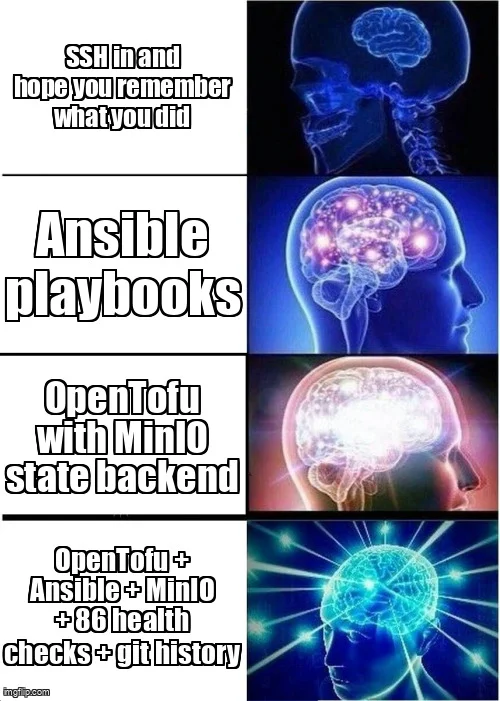
The key insight: OpenTofu is for “what exists.” Ansible is for “what runs on what exists.” MinIO is what makes OpenTofu’s state durable.
Write One Script, Call It 62 Times
The design decision that made this manageable: a single reusable module.
modules/proxmox-lxc/ defines a standard Debian 12 LXC baseline - networking, DNS, resource limits, disk, optional Docker support, optional GPU passthrough, optional NAS bind-mounts. Every service calls this module. The differences between containers live in variables: VMID, IP, hostname, resource allocation, what to install.
The other half is provision.sh.tpl. This bash script runs inside the container after OpenTofu creates it. It installs packages, writes config files, creates systemd units, enables services, sets up Promtail, and sets up Prometheus node-exporter. One script per service. Idempotent: running it twice produces the same result as running it once.
Here’s what a typical one looks like (Sonarr, condensed):
#!/bin/bash
# Runs inside a bare Debian 12 LXC. Idempotent — safe to re-run.
set -euo pipefail

log() { echo "[provision] $*"; }
log "Starting Sonarr provision ($${hostname} @ $${container_ip})"

# System deps
apt-get update -qq
apt-get install -y -qq curl ca-certificates sqlite3 prometheus-node-exporter

# Sonarr binary — only installed if missing
if [ ! -f /opt/Sonarr/Sonarr ]; then
  log "Installing Sonarr..."
  SONARR_URL=$(curl -s "https://api.github.com/repos/Sonarr/Sonarr/releases" \
    | grep -o '"browser_download_url": *"[^"]*linux-x64\.tar\.gz"' \
    | head -1 | sed 's/.*"\(https[^"]*\)".*/\1/')
  curl -sLo /tmp/Sonarr.tar.gz "$SONARR_URL"
  tar -xzf /tmp/Sonarr.tar.gz -C /opt/
  chown -R sonarr:sonarr /opt/Sonarr
else
  log "Sonarr already installed — skipping"
fi

# Systemd service
cat > /etc/systemd/system/sonarr.service << 'EOF'
[Unit]
Description=Sonarr Daemon
After=network.target
[Service]
User=sonarr
ExecStart=/opt/Sonarr/Sonarr -nobrowser -data=/var/lib/sonarr/
Restart=on-failure
[Install]
WantedBy=multi-user.target
EOF
systemctl enable --now sonarr
log "Provision complete."
The $${hostname} and $${container_ip} are OpenTofu template variables, substituted at apply time. Everything else is plain bash. The if [ ! -f ... ] guard is the idempotency pattern: only install if missing, safe to re-run.
Every container gets observability by default. Prometheus node-exporter and Promtail are in the module, not in each provision script. You get metrics and log shipping whether you think to add them or not.
The numbers: 62 service directories, 21,135 total lines of provision script code. Average is about 340 lines per service. The outliers are the services that build from source instead of installing a package - those run into the thousands of lines and have a lot of moving parts. The smallest are simple services like Ollama at around 140 lines.
The migration went in waves:
| Wave | Services | Examples | Risk level |
|---|---|---|---|
| Wave 0 | 1 | MinIO (state backend itself) | Low - needed first |
| Wave 1 | 10 | SearXNG, Cloudflare DDNS, AlertManager, Wizarr | Low - stateless |
| Wave 2 | 10 | Prometheus, Grafana, Loki, AdGuard, Vaultwarden | Low-medium |
| Wave 3 | 17 | Full *arr stack, SABnzbd, qBittorrent, Audiobookshelf | Medium |
| Wave 4 | 13 | Immich, Nextcloud, Plex, Frigate, Ollama, Paperless | High - stateful |
| Wave 5 | 8 | NPM, Authentik, MariaDB, Zigbee2MQTT | High - critical infra |
| VMs | 1 | Home Assistant OS | Medium |
The rule at every wave: never destroy the old container until the new one has been verified for at least 24-48 hours.
What broke during the migration (there was a lot)
Waves 1 through 3 moved fast. Stateless services are forgiving - if the provision script has a bug, fix it and re-apply. Nothing is lost. By Wave 3 I had the pattern down and could migrate an *arr app in about 45 minutes.
Wave 4 is where I actually worried.
Immich has your photo library. Nextcloud has your documents. Plex has years of watch history and metadata. A bad migration doesn’t just break something - it can destroy data you can’t get back. The approach for each: provision the new container alongside the old one, migrate data, run both in parallel for 48 hours, then shut down the original.
Some configuration got lost anyway. Services that had been running for years, configured once and never touched, where the original setup was buried in a forum post I’d long since closed. For those, I reverse-engineered the running container as best I could - read the config files, check the logs, reconstruct and write it down. Some details are still fuzzy. I’m still finding gaps.
Things broke during the migration. One service had an undocumented dependency on a shared volume I didn’t know existed. Another needed a specific kernel module the provision script didn’t enable. A third had been relying on a network alias I hadn’t set up in the new container config.
None were catastrophic, because I never destroyed the old container first.

Before vs. after, honestly:
| Manual click-ops | OpenTofu | |
|---|---|---|
| Rebuild a dead container | Days (if you remember the setup) | Minutes (tofu apply) |
| Confidence in container state | Low - it might have been tweaked | High - it matches the script |
| Change audit trail | Nothing | 50 git commits and counting |
| Adding a new service | 30 min if documented | 30 min to write a provision script |
| Making a change without fear | Hard | Easier - you can see the diff first |
| Feedback cycle for changes | 2 minutes (SSH + edit) | 20 minutes (edit + apply + verify) |
What’s actually worse now
Nobody warns you about this before you start.
The feedback cycle is longer. I’m not going to pretend otherwise.
Before: notice a problem, SSH in, edit the config, restart the service, done. Three minutes. Or: want to test a package, apt-get install it, see what happens. Five minutes.
Now: notice a problem, figure out what the provision script needs to change, update it, run tofu apply, wait for the container to reprovision, verify. Twenty minutes on a good run. Longer if it doesn’t go smoothly.
That’s real friction. And for small, quick changes, it genuinely feels like a step backward.
What you get for it: I can tell you, with high confidence, what should be running in any of my 62 containers right now. Not what is running - what should be. If reality diverges from that, tofu plan shows the diff. Drift is visible instead of silent.
Reading is still fine. Immutability is about writes, not reads. I can SSH in, check logs, run diagnostics, look at anything. I just don’t make persistent changes that way. If something needs fixing, it goes in the provision script first.
One benefit I didn’t anticipate: AI coding agents like Claude Code can read a provision script and immediately understand what a container is supposed to be doing - what’s installed, what’s configured, what services are enabled, what dependencies exist. Before, debugging with an agent meant I had to reconstruct all of that context in the conversation. Now I just point it at the provision script. That’s actually one of the reasons I pushed to finish this migration - I wanted my infrastructure to be readable by tools, not just by me trying to remember things. Since then I’ve added a hook that blocks writes into immutable containers, so an agent can’t skip the provision script even if it tries.
One week later
Troubleshooting is easier. Not dramatically. I’m not claiming this solved everything. But when something breaks now, I have a document that says what the container should be doing. Start there. Compare reality to the spec. The gap is usually where the problem is.
Real example from last week: Lidarr was OOMing. Old me would have SSHed in, poked around, maybe found it. New me opened the provision script, checked the memory limit, pulled up the Prometheus graph showing it pegging the ceiling, bumped the limit in main.tf, ran tofu apply. Ten minutes. And now there’s a commit that says exactly what changed and why.
Less surprised by issues overall. The health checks give me a baseline expectation. The state files give me a spec. Together they make the gap between “what should be happening” and “what is happening” much smaller.
Git history is the audit trail now. Here’s what that actually looks like:
$ git log --oneline --format="%h %ad %s" --date=format:"%Y-%m-%d" -- opentofu/ | head -10

54b2a40 2026-05-27 fix(cloudflare): restore homelab-npm tunnel in CT252 (NPM)
0ba6fc0 2026-05-27 fix(cloudflare): restore Cloudflare tunnels; fix Lidarr OOM and tofu-drift timeout
7072b2d 2026-05-26 feat(opentofu): migrate Home Assistant OS VM 161 to OpenTofu
c860b71 2026-05-26 feat(opentofu): migrate joekarlsson.com (CT 165) to OpenTofu
1642be5 2026-05-26 fix(health-checks): resolve all 6 warnings from daily health check
41bf2fe 2026-05-26 fix(opentofu): inline cloudflare-ddns HC UUID; add dispatcharr EPG cron ping
731151e 2026-05-26 chore(opentofu): add healthchecks auto-update cron to remaining Wave 5 services
Fifty commits. Every infrastructure change, dated, described, reversible. That’s the thing I wanted most and it works exactly as expected.
I’m still finding gaps from the initial audit. Services with configuration that got lost during the migration, which I’m reconstructing piece by piece as things break. I expect that to continue. The alternative was never having it written down at all.
Is This Right for You?
Honest answer: it depends. Here’s the checklist I wish I’d had before I started.
I build things when I start experiencing pain - not because I read a best practice somewhere. I wouldn’t have touched IaC two months into running Proxmox. It took a couple years of managing this thing before the overhead got real enough to act on. If you’re not feeling it yet, don’t force it.
Worth doing if:
- You’ve been managing this for a couple years and keeping every container’s full state in your head for every troubleshooting session has become the real overhead
- 10+ containers you couldn’t rebuild from scratch if they died tonight
- You’ve asked “what did I do to this thing six months ago?” and had nothing to go back to
- Drift detection matters: knowing when what’s actually running no longer matches what you think you configured
- You want AI agents like Claude Code to read your infrastructure and actually help debug, without you reconstructing context from memory every session
Probably not worth it if:
- You stood up Proxmox last month. Come back in a year.
- You have 3-5 containers that are already documented
- The hands-on tinkering IS the hobby. You genuinely like SSHing in and making live changes.
- You won’t commit to keeping provision scripts current. Half-committed IaC is worse than none.
The setup cost is real. The payoff is real. Where that lands is different for everyone.
Things I wish I’d known
Do the audit before you migrate. Build health checks. Write documentation. At minimum, describe what each container does. The gaps you find will completely change your migration order - I’d have done some things differently if I’d known what was actually broken before I started.
One container at a time. Each migration surfaces surprises. You want to be paying attention to one surprise at a time, not ten.
If you’re using Claude Code or another LLM agent, do a plan phase per container. Treat each migration as its own mini-project. The agent can work through the provision script structure, but it needs the context of one container at a time - not “migrate all 62.”
Make a checklist of what “migrated” means. For me, tofu apply is step one of eleven:
| Category | Steps |
|---|---|
| Provisioning | tofu apply clean; CT running; all systemd services active; service responds on port; drift check passes |
| Observability | Promtail shipping logs to Loki; Prometheus scraping node-exporter |
| Access | DHCP reservation confirmed; NPM reverse proxy updated; Authentik SSO configured |
| Monitoring | Uptime Kuma monitor green; health check script written, deployed, exits 0 |
| Documentation | Ansible inventory, CLAUDE.md ×2, VMID registry, migration plan, all updated; old CT retired after 24h+ |
That’s a lot of things that aren’t tofu apply. Each one takes real time, which is why “one container at a time” is the only approach that works.
The feedback cycle is longer. Accept it before you start. You’ll miss SSH + edit + done. You won’t miss rebuilding a container from scratch because it died and you had no notes.
Some stuff will get lost. Config that was never written down won’t survive the migration intact. Find it when things break, write it in code. It’s a process.
The homelab is never done. This is just what the current chapter looks like: 62 containers, 21,135 lines of provision script code, and a git log that shows every decision I’ve made since May 23rd. Worth it for me.
Frequently Asked Questions
How long does it take to migrate an existing Proxmox homelab to OpenTofu?
It depends on how many containers you have and how documented they are. I migrated 62 containers across 6 intensive days of active work after months of auditing with health checks. Stateless services take 30-60 minutes each. Stateful services with databases or media libraries take 2-4 hours including verification time.
Do I need Terraform Cloud or a paid service to use OpenTofu with Proxmox?
No. I use MinIO (a self-hosted S3-compatible object store running as a Proxmox LXC container) as the state backend. It costs nothing, versioning is enabled for rollback, and it runs entirely on my own hardware.
Can I use OpenTofu with Proxmox containers that are already running?
Yes, but with care. For stateless services, provision the new container alongside the old one, verify it works, then retire the old one. For stateful services with databases or persistent data, run both in parallel for 24-48 hours before shutting down the original. Never destroy the old container first.
What is the difference between OpenTofu and Terraform for Proxmox?
For Proxmox homelab use, the practical difference is minimal: both use the same bpg/proxmox provider and the same HCL syntax. OpenTofu is a Linux Foundation open-source fork created after HashiCorp changed Terraform from MPL 2.0 to the Business Source License in August 2023. I chose OpenTofu to avoid future licensing surprises on my personal infrastructure.
Should I use OpenTofu or Ansible for my homelab?
Both, but for different jobs. OpenTofu manages what exists: it creates containers and provisions initial setup. Ansible handles operational tasks across existing containers: bulk config changes, deploying monitoring agents, ad-hoc operations across multiple hosts. They complement each other rather than compete.

Joe Karlsson
Developer Marketing Engineer at CData, leading developer growth for the managed MCP platform that connects AI agents to live enterprise data. Writing about databases, self-hosting, and the things I build. Runs a 60+ container Proxmox homelab with AI-powered automations.
cat newsletter.md
I write a weekly newsletter about databases, self-hosting, and whatever I'm building.
Subscribe on Substack →Related Posts

Oct 6, 2026
Breaking up with Claude Code
OpenCode with open models isn't a one-to-one swap for Claude Code. What broke, what fixed it, and which models I use.

Mar 5, 2026
My Homelab Two Years Later, Every Upgrade and What It Cost
Two years after a $200 ThinkServer: two Dell R730s, 73 containers, metered power data, and whether a homelab pays for itself.

Sep 27, 2023
How to get started building a Homelab server in 2026
I built my first Homelab server for under $200 using a used Lenovo ThinkServer from Facebook Marketplace and Proxmox. Here is everything I learned about picking hardware, choosing an OS, setting up containers, and mounting NAS storage.