What’s on my desk, in my recording corner and in the server rack in my attic, and why I picked it. The ones I’d recommend as gifts are in my homelab gift guide.
Amazon links here are affiliate links. Buying through one helps pay the power bill for my 72-container homelab. As an Amazon Associate I earn from qualifying purchases.
Uses
Computers, camera and mic
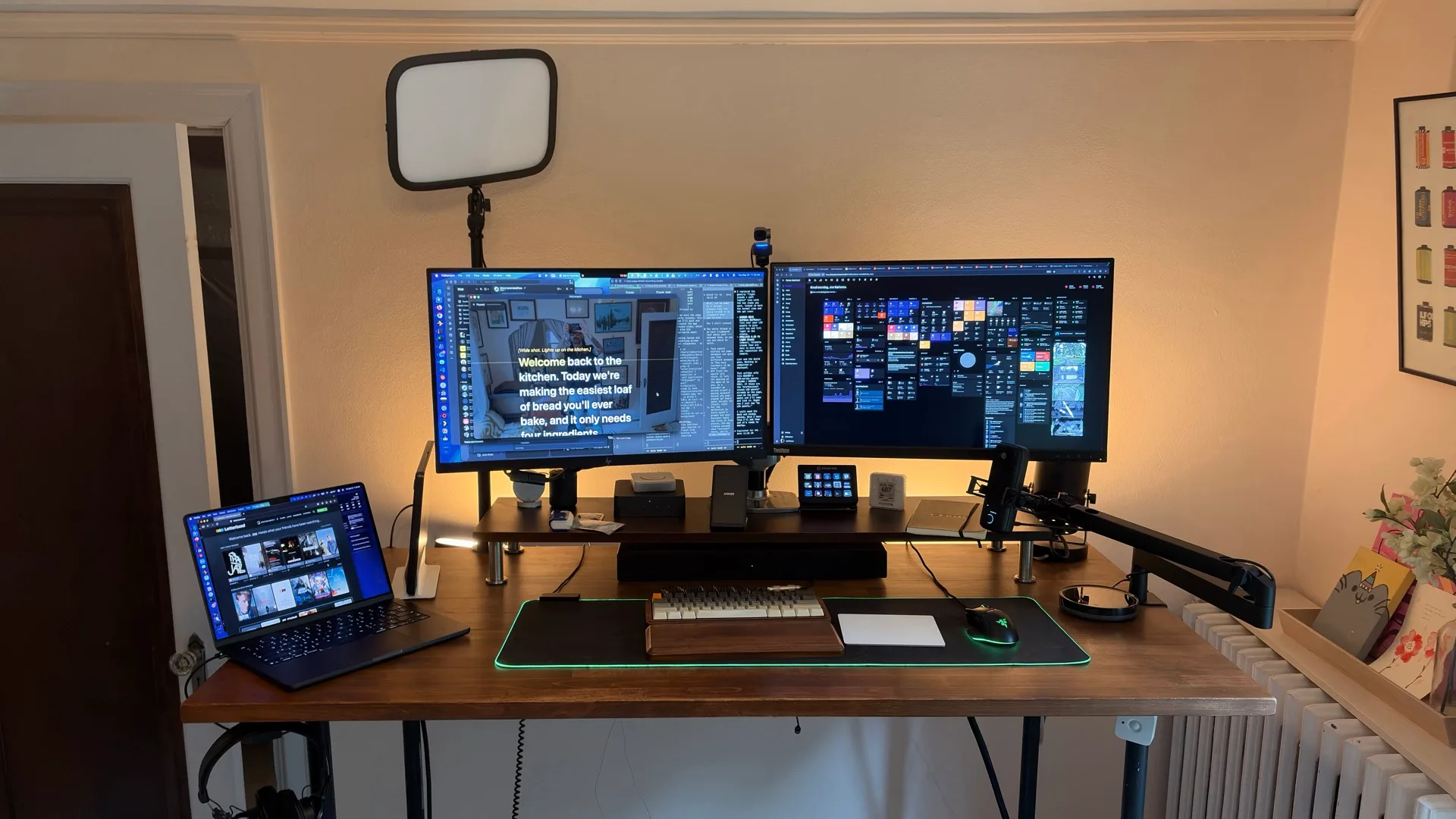
Computer & monitors
my work laptop. 18-core CPU, 32-core GPU, 36 GB of memory, 2 TB SSD. Plenty of headroom for Docker, multiple IDEs, and running local AI models.
my personal laptop, with 24 GB of memory.
Monitors
ThinkVision P27h-10 27" QHD (right) + an HP monitor (left). If I were buying today, I’d go ultrawide.
lets me reposition monitors based on what I’m working on and frees up desk space for hardware projects.
14-in-1 Thunderbolt 5 dock. It replaced my Dell Universal Dock, and I use it at both my main desk and the recording station: one cable and the laptop is plugged into everything.
powered 10 Gbps hub with 8 USB-A and 8 USB-C ports.
Camera, mic & lighting
4K webcam with gesture control and auto-tracking. It replaced my Sony A6600 for Zoom calls and recordings because it’s a much simpler setup.
USB condenser mic, managed through Wave Link for mixing. It replaced my Blue Yeti and sounds much better.
Elgato Key Lights (x2)
key and fill light for calls at my desk.
On the desk
Input & peripherals
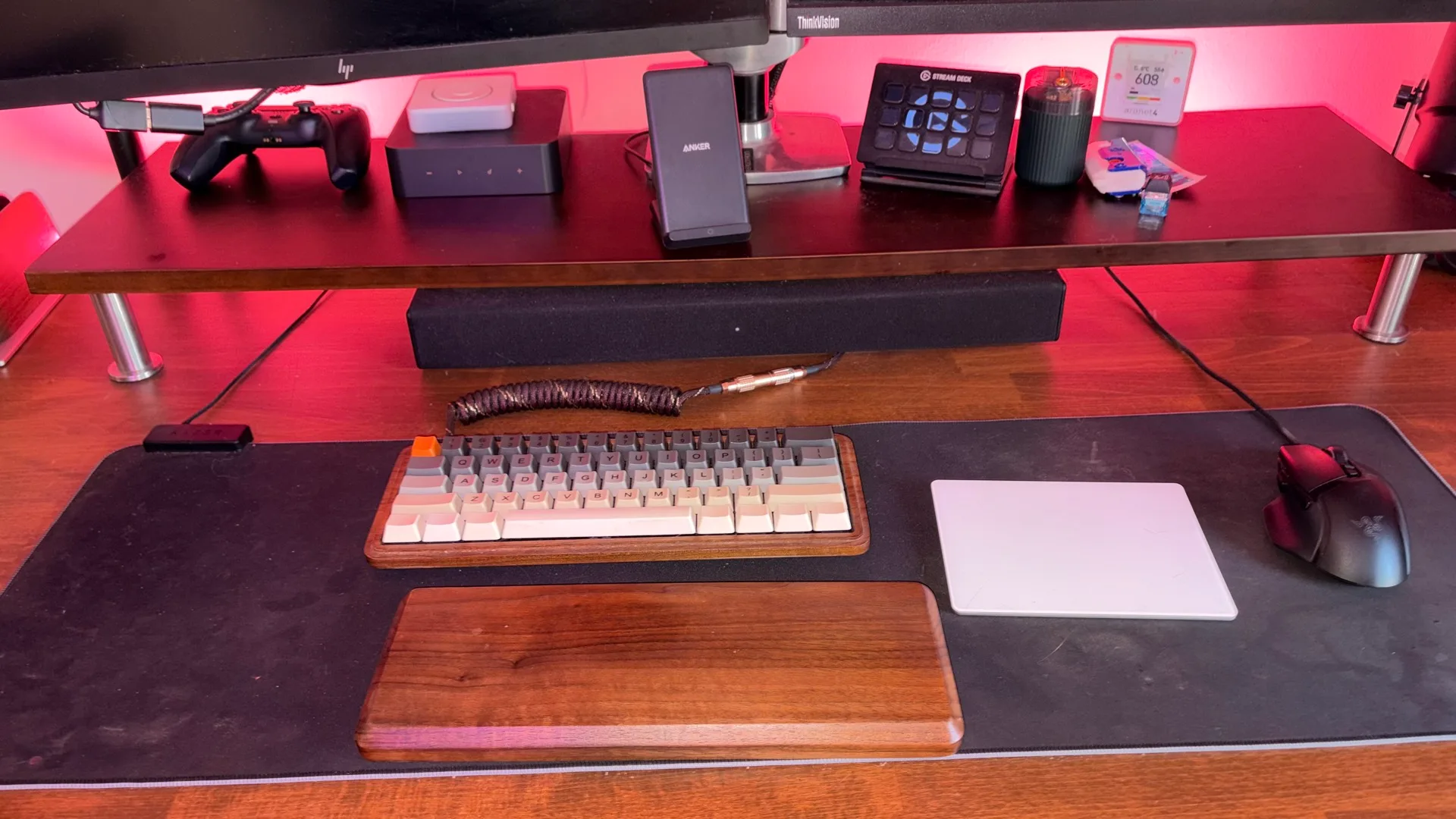
wired, so there are no batteries to replace, and it’s been rock solid for years. I’m not a gamer, but I map the extra buttons to different functions.
for swipe and pinch controls.
Razer Goliathus Extended Chroma
mousepad with RGB backlighting. It’s a total luxury: I just like how the LEDs look. If it dies, I’ll replace it with a regular mat.
I use this more for productivity shortcuts than streaming. Muting and unmuting Zoom and triggering Home Assistant scenes from my desk.
Keyboards
with Cherry MX Clear switches.
wood case, Cherry MX Blue switches, custom keycap set from WASD Keyboards. I like clicky switches - Blues are the loudest and clickiest. I’d recommend Clears as a good starter switch.
Desk & audio
Standing Desk
custom-built IKEA desktop on industrial black steel legs, with a Luna Standing Desk Stool.
studio headphones with upgraded velvet pads. They’re cheap, comfortable and sound great.
White & Color Ambiance LED Bar Lights (2-Pack) for desk backlighting.
CO2 monitor on my desk. When the number climbs, I start getting foggy, so it’s my cue to open a window or take a break.
plays music in my office. It’s cheaper than Sonos or Bose multi-room systems, and it plays through Lyrion Music Server with the rest of my speakers.
Home Assistant Voice Preview Edition
I swapped out all of my Amazon Alexas for these. Voice processing runs on my own hardware. I wrote about what it’s like replacing Alexa.
42" bamboo riser under the monitors. The shelf holds everything in the top half of this photo.
PlayStation DualSense controller
in Midnight Black.
a warming plate with a 14 oz ceramic mug.
Recording
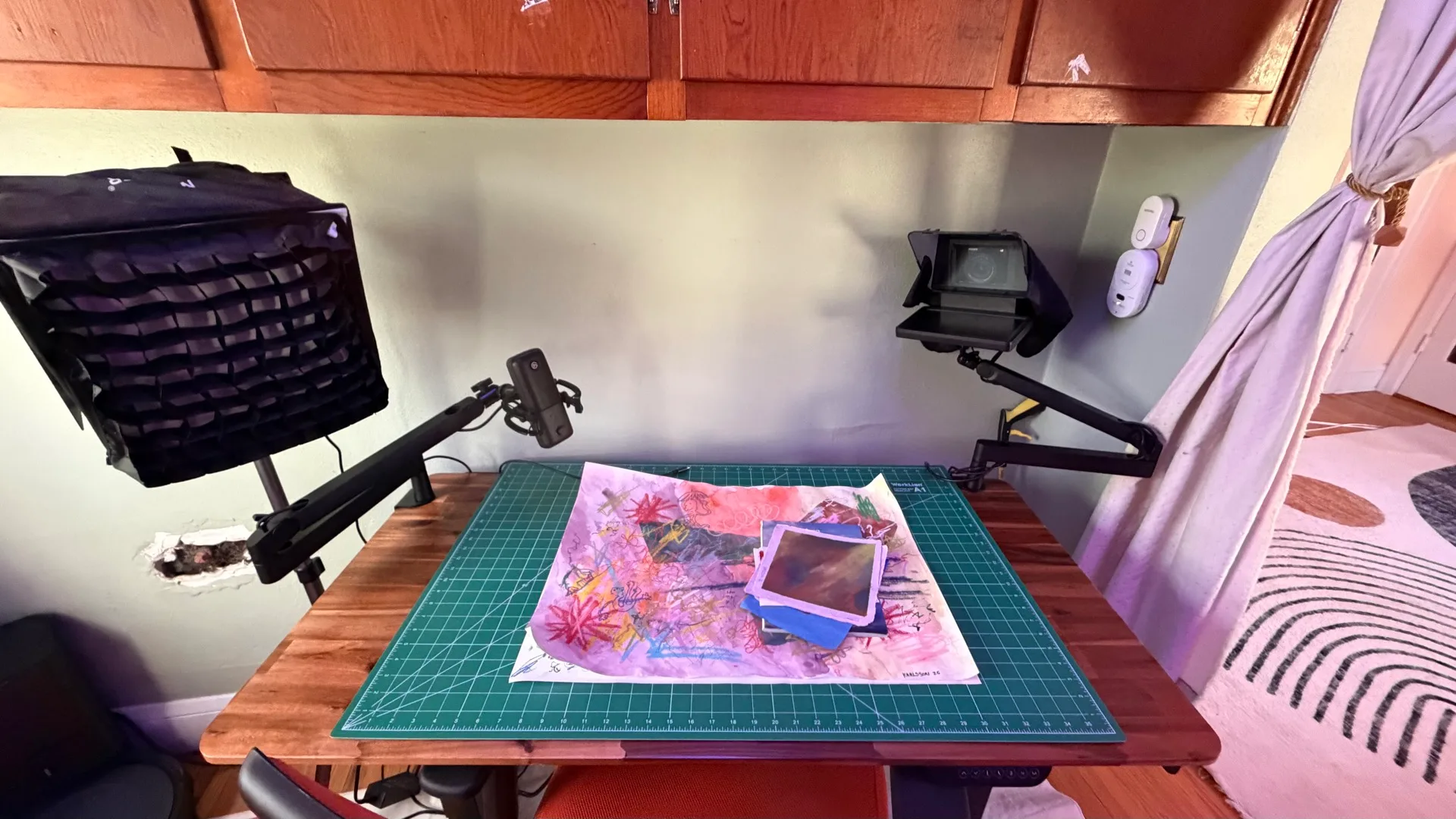
I built a mini recording studio in a corner of my office. It’s a second, fully separate setup from my main desk, so I can walk over, plug in one cable, and start recording without tearing anything down. The full tour covers the lighting, the Home Assistant recording mode and what it all cost.
Recording studio
mirrorless camera with the 16-50mm kit lens, and the main camera in the studio. It feeds the Mac through an Elgato Cam Link 4K and runs on wall power through a Kimaru dummy battery, so it never dies halfway through a take.
teleprompter with a built-in screen. The camera sits behind the glass, so I can read a script and still look into the lens.
Elgato Wave Low Profile Mic Arm (x2)
one holds the mic in an Elgato Wave Shock Mount, the other holds the camera and prompter. Both clamp to the desk, so the whole rig moves as one unit when I shuffle the room around for a better shot.
NEEWER NS4S Softbox + SMALLRIG Light Stand
my key light, soft and even on my face. The stand folds down small and is easy to move when I reposition the camera. An orange mushroom floor lamp sits in the background because it looks good on camera.
a zoomable LED spotlight on a lightweight tripod. With a colored gel on it, I move it around to throw a hard pool of orange on the wall behind me.
the recording desk's mic. It shows up in the same Wave Link setup as the Wave:3 at my main desk, so the audio chain is the same at either one.
48x24 acacia dual-motor standing desk.
smart plugs with energy monitoring. Everything on the recording desk runs off one of them, so Home Assistant powers the whole rig on and off with recording mode.
24x36 self-healing mat that covers the desk and doubles as a work surface for crafts and hardware projects.
mesh chair, and it’s serviceable. I mostly sit in it to record. I’ve worked at a standing desk for about 15 years and I’d rather lean on a stool, but sometimes it’s nice to sit down.
my 3D printer. It lives on a shelf in the recording corner and runs through OctoPrint, so it shows up in Home Assistant like everything else. Recording mode turns it on for its LEDs, which look good glowing behind me on camera.
Recording software
what I edit tutorial videos in. Premiere does more, but Camtasia is faster when all I need is record, edit, export.
screen recorder that zooms in where I click and smooths out the cursor. I use this for short social media clips and demo GIFs.
screenshot tool with annotations and scrolling capture, which is how I grab full terminal output or long web pages for blog posts.
Dev tools
Editors
still my primary editor. Monokai theme + vscode-icons.
AI tools
Claude Code (CLI)
I use it in the terminal to build this website and run my homelab. It writes the deployment scripts and helps me debug across 72 containers. I wrote about building a Claude Code blog skill for this site.
Claude desktop app
writing, research, and brainstorming.
local speech-to-text that replaced superwhisper. It’s open source and runs NVIDIA Parakeet locally, so nothing I say leaves hardware I own.
Terminal
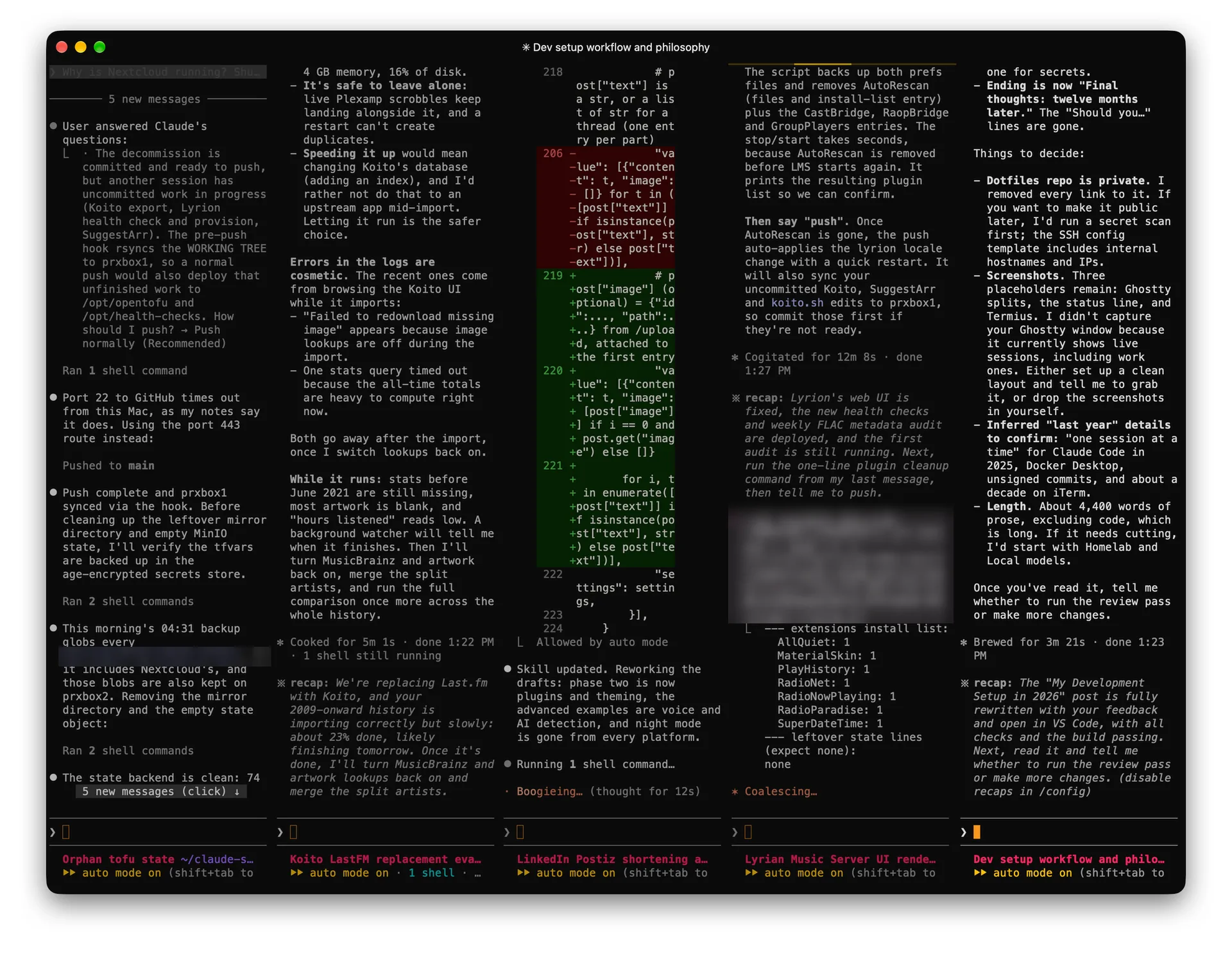
replaced iTerm2. Its whole config is one plain text file in my dotfiles, so every Mac gets the same terminal, and its splits suit running several Claude Code sessions side by side. Plain zsh with Starship for the prompt. More in my development setup.
config files managed with chezmoi.
Productivity
replaced Spotlight and Alfred. I use it for clipboard history, snippet expansion, window management scripts, and quick calculations. The extensions ecosystem is what sold me.
free, open-source menu bar app that bundles a pile of small macOS utilities into one. I run it on every Mac I own, with only the modules I use.
keyboard-driven window snapping. I use thirds layout constantly with the dual monitor setup - editor left, terminal right, browser on the second screen.
personal knowledge base, talk prep, and blog drafts. I tried Obsidian but kept coming back to Notion for the database views and sharing.
LanguageTool (self-hosted)
grammar and spell checking that runs on my homelab, so my blog drafts and emails never leave my network.
Communication & media
Security & utilities
password manager (+ self-hosted Vaultwarden as backup).
mesh VPN for accessing homelab remotely.
commercial VPN for privacy on public networks.
local container development. I test homelab configs here before deploying to Proxmox.
Homelab
I run a two-node Proxmox VE cluster with about 70 self-hosted services. Nearly all of them are immutable LXC containers defined in OpenTofu, so every change goes through tofu apply instead of SSH. The full story is in my homelab two years later and how I made it immutable with OpenTofu. If you’re just starting out, read my guide to getting started with a homelab.
Server hardware
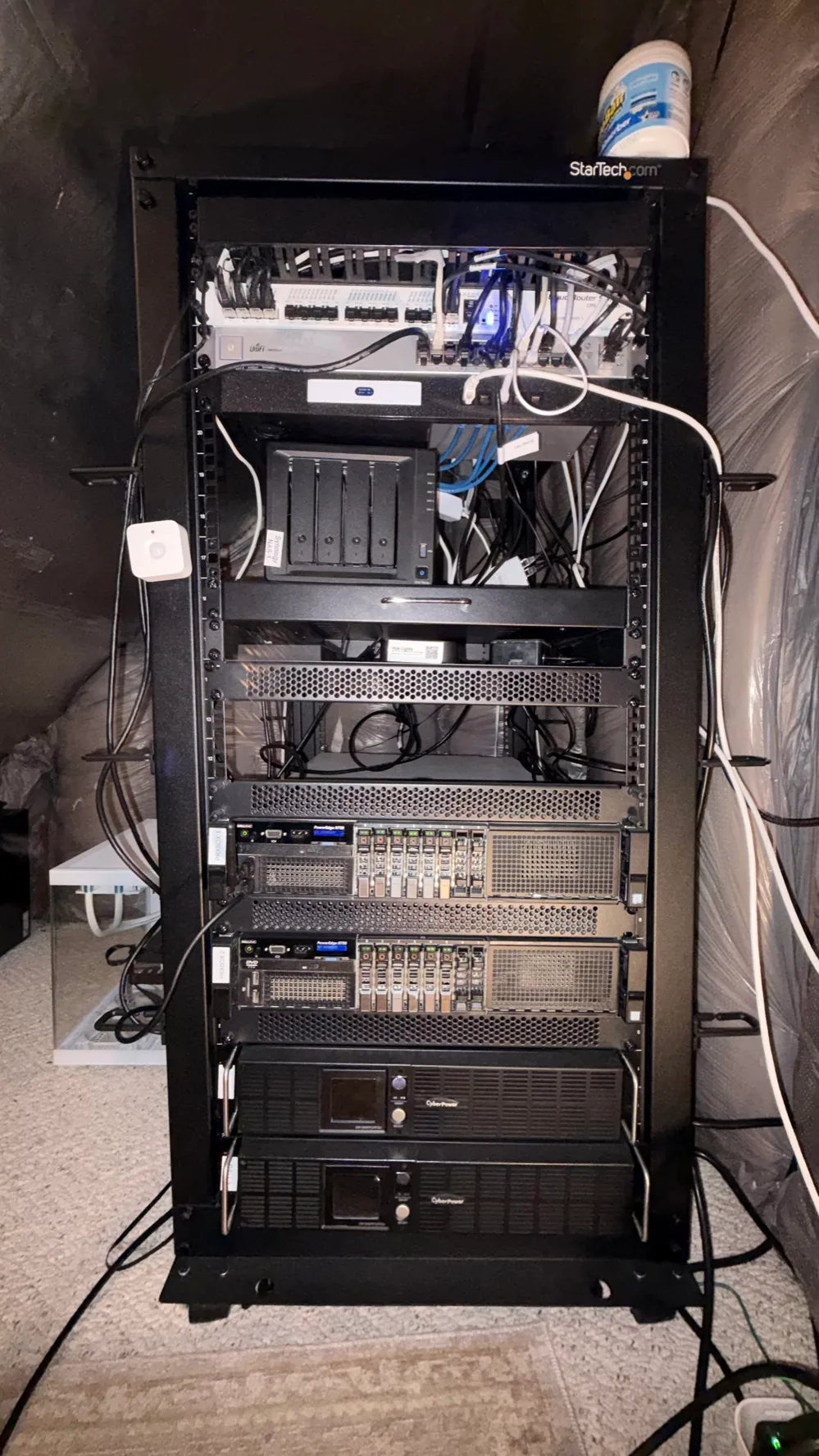
the open-frame rack in my attic that holds all of it. I didn’t know 19 inches was a standard width until I was measuring my R730s with a tape measure.
StarTech 8-outlet PDU
the 1U power strip at the top of the rack, model RKPW081915, with surge and ground lights on the front.
prxbox1 - Dell PowerEdge R730
2x Intel Xeon E5-2698 v4 (80 threads), 128 GB DDR4 ECC, NVIDIA Quadro RTX 4000 (8 GB). The infrastructure node - Home Assistant, networking, monitoring, and the media automation stack.
prxbox2 - Dell PowerEdge R730
126 GB RAM, NVIDIA RTX A4000 (16 GB). The GPU node - Plex, Immich, transcoding, and local LLMs.
Networking between them
Intel X710 10 Gb SFP+ NICs in 2x10G LACP bonds on each host, and a Raspberry Pi as the QDevice tiebreaker vote for the cluster.
rack UPSes, monitored with NUT so the cluster shuts down cleanly when the power goes out.
the vented sliding shelf the Synology sits on.
vented cantilever shelves for the gear that isn’t rack-mount.
slotted wire duct with a cover, above the switches.
replacements for the cage nuts and screws that came with the rack, and way easier to use.
Bluetooth label printer (PT-P710BT) that I run from my phone. Every cable in my rack is labeled with it. I love it.
GPU workloads
RTX A4000 (16 GB)
Plex hardware transcoding, Immich face and object detection, Tdarr, and local LLMs through Ollama and llama.cpp. I wrote about sharing one GPU across multiple services.
Quadro RTX 4000 (8 GB)
Frigate object detection for the security cameras, a Tdarr node, and Wyoming Whisper for local speech-to-text.
Storage & backup
4-bay NAS serving NFS to the containers for media, photos, documents, and backups.
daily snapshots of every container and VM, stored on the NAS and synced offsite to Backblaze B2 with rclone.
Networking
router and firewall across 4 VLANs (Default, Guest, IoT, Cameras). IoT and cameras stay isolated.
10G backbone switch, 20 Gbps to each server.
UniFi US24
24-port 1G switch for everything that doesn’t need 10G.
2x UniFi U7 Pro + U7 Pro XG
WiFi 7 access points.
DNS-level ad blocking, with a primary container and a replica on a Pi kept in sync.
Nginx Proxy Manager + CrowdSec
reverse proxy with SSL, so every service gets a clean local domain.
Services (about 70)
Media
Plex, Tautulli, the Arr stack (Sonarr, Radarr, Lidarr, Prowlarr, Bazarr), Tdarr, Kometa, Audiobookshelf, and Lyrion Music Server for the WiiM speakers.
Photos & documents
Immich (replaced Google Photos), Paperless-ngx + Paperless-AI, and Syncthing for file sync.
Local AI
Ollama, llama.cpp, LiteLLM as a single API gateway, and Wyoming Whisper for the voice assistant.
Home
Home Assistant, Frigate NVR, and Zigbee2MQTT.
Security & access
Authentik for SSO, Vaultwarden, Tailscale, and Cloudflare DDNS.
Monitoring
Grafana, Prometheus, Loki, Alertmanager, Uptime Kuma, Healthchecks, and Scrutiny for disk health.
Everything else
Plausible Analytics, LanguageTool, Postiz, and the server that hosts this site.
Smart home
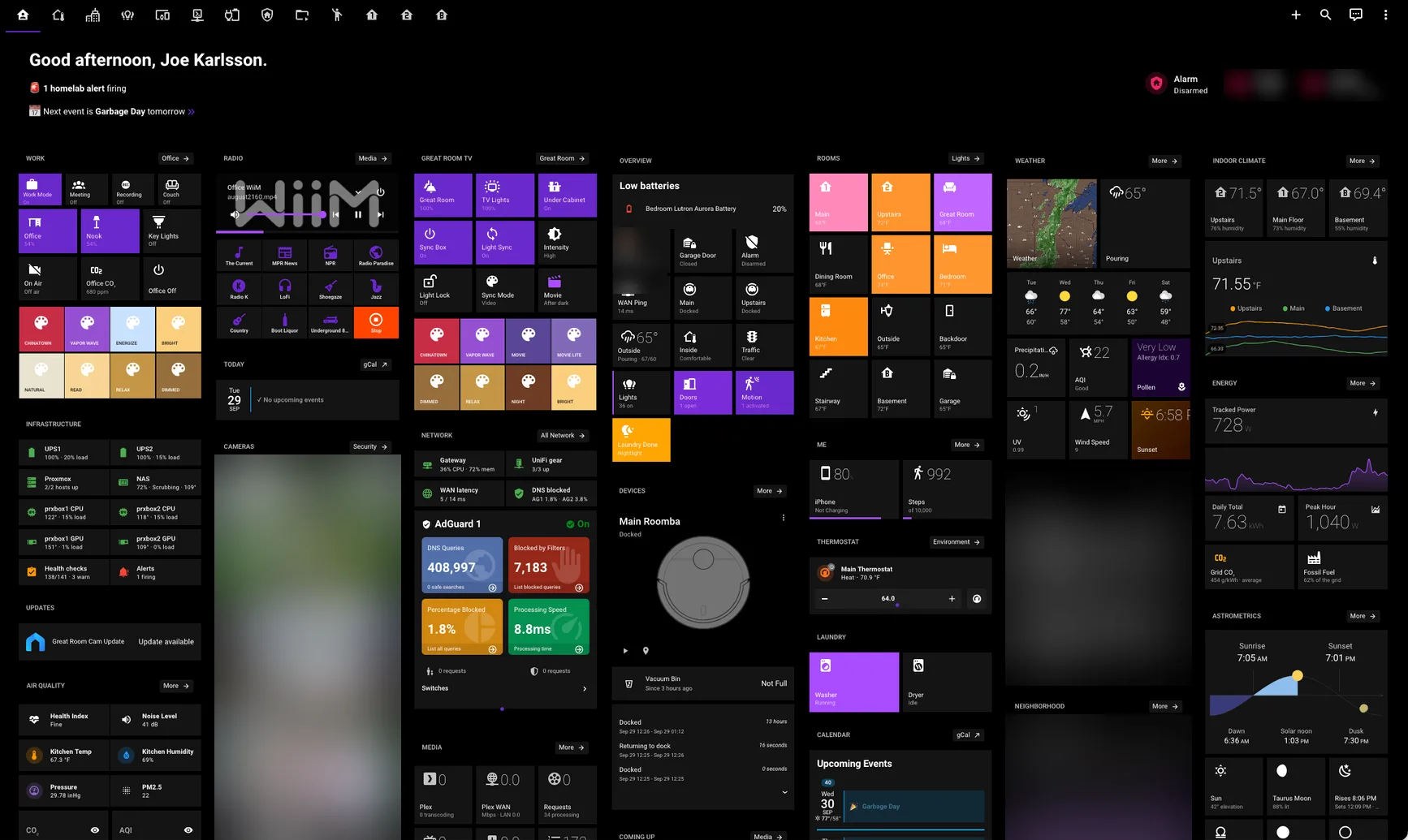
My smart home runs on Home Assistant with 128 automations, all processed locally on my homelab. I’ve been running it since 2016, and I wrote up my favorite Home Assistant automations, basic to advanced, plus how I keep them from breaking. If you’re new, start with getting started with Home Assistant.
Core platform
running as a VM on Proxmox with a dedicated MariaDB database.
29 Zigbee devices on a ConBee II, no proprietary hubs. Zigbee has been rock solid, and it stays up when other things go down. Thread and Matter are promising, but people in the community still find them flaky, so I’m not switching anytime soon.
local NVR with person detection and face recognition on a GPU. It drives motion lighting and package detection.
Local voice and AI
Wyoming faster-whisper on a GPU, Piper for text-to-speech, and Ollama through the AI Task integration, with 4 Home Assistant Voice Preview Edition satellites.
kept to the few custom integrations that earn it, like Alarmo and Presence Simulation.
exposes key entities to Siri.
Dashboards
Lovelace dashboards
one each for desktop, phone and tablet, built with community cards: Mushroom Cards, Bubble Card, ApexCharts Card, Mini Media Player, Mini Graph Card, Button Card.
Devices
Lighting & climate
Philips Hue lights on a Hue Bridge Pro, with Hue motion sensors and dimmers; Lutron Aurora dimmers and Zigbee buttons; 2x ecobee3 lite thermostats with room sensors; Levoit humidifier (winter only).
Security & safety
Reolink video doorbell and floodlight camera; Tapo C210 indoor camera; 4x Aqara leak sensors and a Heiman smoke detector; Zigbee door contacts, an Aqara FP2 presence sensor, and an Aranet4 CO2 monitor.
Audio
4x Audio Pro A10 MkII speakers running WiiM firmware; WiiM Pro and WiiM Mini; multi-room audio through Lyrion Music Server and Music Assistant.
Other
2x Roomba vacuums; Meross garage door opener; Sengled and Securifi Zigbee plugs (energy monitoring); Prusa MK3S 3D printer through OctoPrint; Hue Play HDMI Sync Box and a Broadlink IR blaster.
Inspired by uses.tech - a list of developer /uses pages.